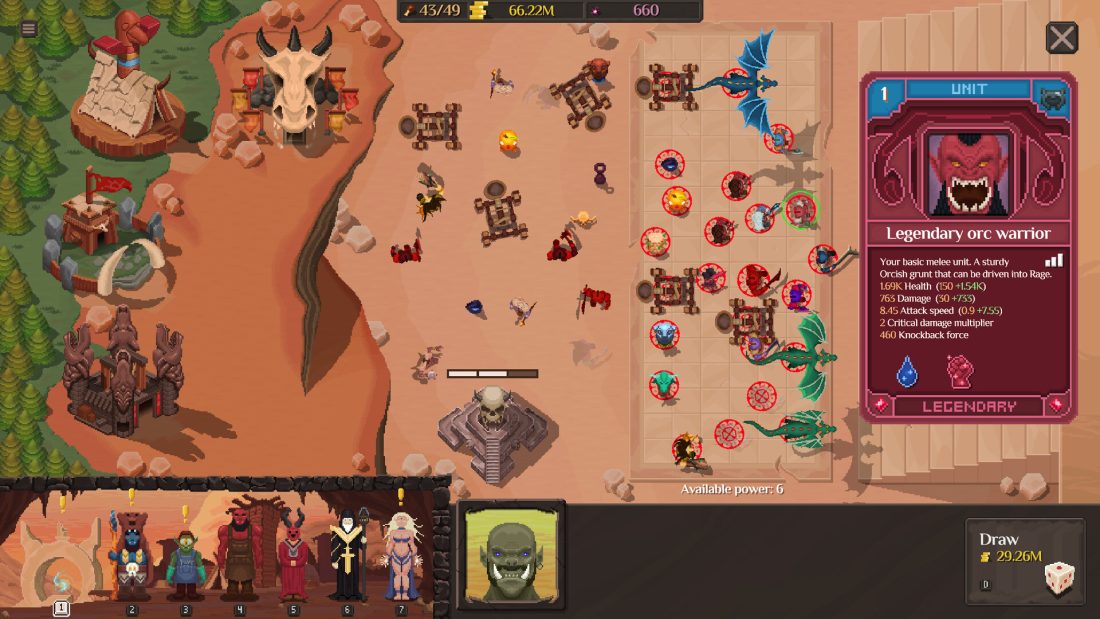
When the same battle stops your army in Orc Incremental, watch one more attempt before buying anything. Notice which ally falls first, which enemy is still alive, and whether your strongest attacks are reaching that enemy. Those three details tell you whether the next useful change is a card, a new position, a focused upgrade, a spell, or a Dark Rebirth.
This guide is for the full release with Update v1.0.1 installed, as available on September 9, 2026. The release added new units, Totems, nine Chieftain bloodlines, and a much larger Blight Tree, so old demo routes and permanent tier lists are poor shortcuts. Use the current card and upgrade text whenever it differs from an older screenshot or guide.
Read one defeat before spending your gold
Let the fight run at a speed you can follow. Start with the first ally that dies, then trace the damage that reached it. A frontline that disappears immediately needs protection or a tougher unit where contact begins. If the front holds but the boss barely takes damage, your attackers may be stuck on the wrong target or spending too much time moving. If the army wins and only the next purchase feels slow, the problem is income rather than combat.
Keep the next test small. Move one unit, take one new card, or buy one relevant upgrade, then replay a comparable battle. Changing the whole formation and emptying several vendors at once may produce a win, but it will not tell you which choice mattered. That becomes expensive when the next boss exposes the same weakness.
Close fights also deserve a different response from hopeless ones. A boss that survives with a sliver of health may only need a better Fireball or a few more seconds of frontline life. If your army vanishes before its main attacks begin, saving for more raw damage will not repair the opening exchange. Fix what happens first.
Pick the card your current army can use
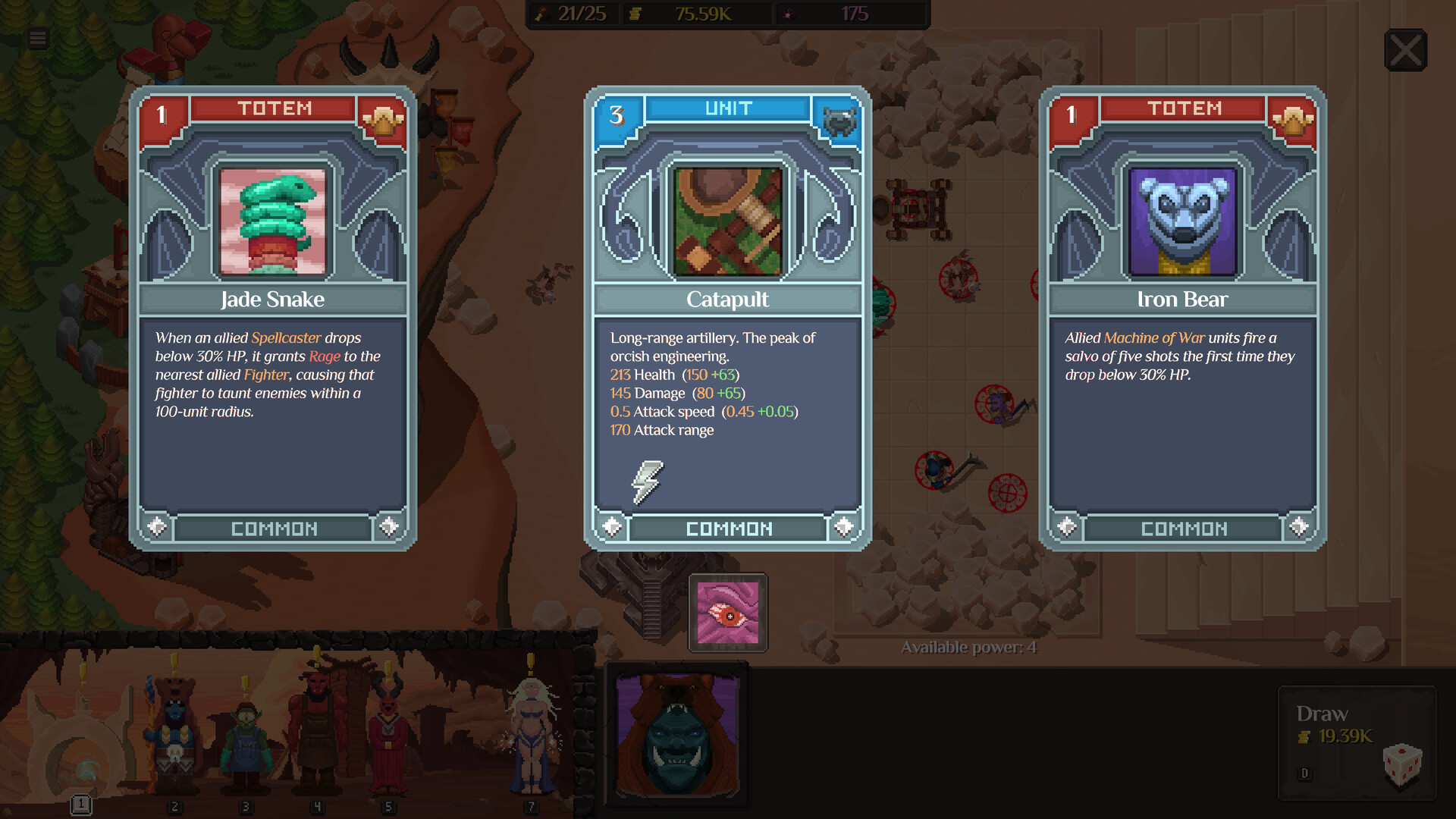
Each draw asks you to choose between the cards on screen, and those offers can include units as well as Totems. Read the live card before looking at its border or rarity. A powerful attacker is wasted if no one can hold the enemy away from it; another defensive card adds little when the frontline is already surviving and the formation cannot reach a dangerous backliner.
Before choosing, glance back at the warband if the interface allows it. Count jobs, not just bodies. You need someone who can absorb the first rush, allies who can deal damage while that unit holds, and a way to reach enemies hiding behind the front. The missing piece may be a new unit or a Totem that helps several allies at once.
When all three cards look useful, break the tie with the battle you just watched:
- If the first ally died before attacking, favor a card that improves that opening exchange.
- If the important enemy stayed protected, favor control, area damage, or a unit that can pull it out.
- If the army survived but ran out of damage, compare the offered effect with the units already receiving your upgrades.
- If a Totem changes the entire warband, count how many current units can benefit now rather than imagining a future lineup.
Do not force a named build from cards you have not drawn. Orc Incremental makes the offer itself part of the run, so the practical build is the strongest answer available for your current loss, not a shopping list that assumes perfect choices.
Put a tough unit in front of your damage dealers
Start with the spot where the two armies meet. Place a durable ally there and give fragile ranged or support units room to act behind it. Then replay the battle and watch whether the same attacker still gets reached first. If the enemy walks past your front or an area attack catches the whole group, spread the warband out before buying another damage upgrade.
Target access matters as much as survival. A healthy attacker that spends the fight hitting an unimportant enemy is not doing the job you drafted it for. Move that attacker, move the unit blocking its path, or use control to expose the target. Warg Raider is especially relevant when a vulnerable enemy is protected, because its official role includes a hook as well as area damage.
Do not build around an assumed aggro formula. The old demo notes only say that units were given a stronger bias toward enemies in front; the full release sources do not publish exact targeting math. Use front-facing placement as a starting point, then believe the fight in your installed build. Two attempts are more useful than a diagram that ignores movement, knockback, and the enemy lineup.
When a formation almost works, save its basic shape. Move a single ally far enough that the change is visible, not a few pixels that might produce the same engagement. Compare which unit takes the first hit, whether your key attacker gets into range, and whether the boss reaches a dangerous attack. Keep the move only if it improves the part you meant to change.
Use Blizzard and Fireball for different problems
Spells are your direct way to interrupt an automatic fight. The Steam page gives the two clearest jobs: Blizzard can slow a boss that is tearing through the frontline, while Fireball can finish a close battle. Cast for that job instead of firing as soon as an icon becomes available.
With Blizzard, watch the boss rather than the damage numbers. Cast before the attack sequence that normally breaks your line, then see whether the slow buys another heal, attack, or movement cycle. If the same allies still die before they act, spell timing may not be the main problem. Revisit the unit taking first contact.
With Fireball, first decide whether the target is actually within finishing range. Spending it early on a boss your army cannot otherwise hurt may create a larger number without changing the result. Hold it through a close attempt, then land it when the remaining health and the enemy’s next attack make the outcome clear.
Run the comparison more than once when timing is tight. Automatic movement can change the exact frame on which units meet. You are looking for a repeatable extra attack or a boss kill, not the prettiest explosion.
Spend gold where the fight breaks
Open the upgrade screen after you know what failed. Buy health, protection, or healing when a necessary ally dies too soon. Buy damage when that ally already gets time to attack the correct target. Improve income when the army is clearing reliably and the wait between useful purchases is what slows the run.
Read percentage upgrades carefully. The demo’s first patch added the word base to base-percentage upgrades because players expected a displayed total to rise by the same percentage. If the current tooltip offers Advanced Info, use it before judging the purchase from the headline alone. An upgrade can work exactly as written while producing a smaller change in the final number after other bonuses are applied.
If the settings menu offers the DPS meter introduced during the demo, use it to compare two similar attempts. Keep the encounter, formation, and spell timing as close as possible. A higher total against a different wave proves little, and damage that lands after your frontline has collapsed may not carry the next boss.
Once affordable purchases stop changing the fight, take a serious look at Dark Rebirth. You do not have to empty every vendor first. The useful question is whether the next purchase can keep the front alive longer, reach the troublesome enemy, shorten the battle, or bring another important upgrade within reach.
Pick Totems that help the warband you already have
Totems enter the warband through card draws and provide passive bonuses that can change how the whole army performs. That makes them most valuable when the displayed effect reaches several units you already use or fixes a weakness shared across the formation. Read the card, count the beneficiaries, and compare the next fight before taking another copy.
Older demo patch notes say Totems stack and that special cases received extra tooltip text. Version 1.0 added five more Totems, so check the current tooltip before assuming two copies combine in a particular way. The fact that copies stack does not tell you whether their values add, multiply, cap, or trigger a separate interaction.
A Totem should still help with something you can see. If it strengthens Witch Doctors while none of yours survive long enough to heal, protect or reposition them before judging the bonus. If it improves durability and the front already holds comfortably, a unit that reaches the troublesome enemy may move the run farther. A bonus that touches every unit can still be the wrong pick for this fight.
Give the four new units a clear job
The full release added four allied units with distinct official roles. None comes with a universal rank, and the right card depends on the army and enemy in front of you.
| Unit | What the official role tells you | When to consider it |
|---|---|---|
| Assassin | Uses stealth and specializes in critical damage. | Your front holds, but a valuable target survives or damage arrives too slowly. |
| Troll | Is a durable tank that reflects damage. | The enemy wins the first contact and your damage dealers need more time. |
| Warg Raider | Deals area damage and can hook a vulnerable enemy out of safety. | A protected target or a packed group is keeping the rest of your army busy. |
| Juggernaut | Is an explosive siege assault unit. | You need pressure against a dense or fortified fight; Update v1.0.1 also makes it immune to knockback. |
Use those descriptions to decide what to watch, not to invent hidden rules. For an Assassin, check whether stealth lets it reach a useful target and live long enough to strike. For a Troll, see who attacks it and whether reflected damage changes the exchange. For a Warg Raider, watch which enemy the hook moves. For a Juggernaut, confirm that knockback no longer breaks its advance after updating to v1.0.1.
Rearrange the formation when you add one of them. A tank card does not help from a position that never takes pressure, and a fragile attacker should not inherit the spot where the previous frontline died. Give the new unit one clear job, place it where that job can happen, and judge it against the same kind of fight.
Make the next Dark Rebirth worth the reset
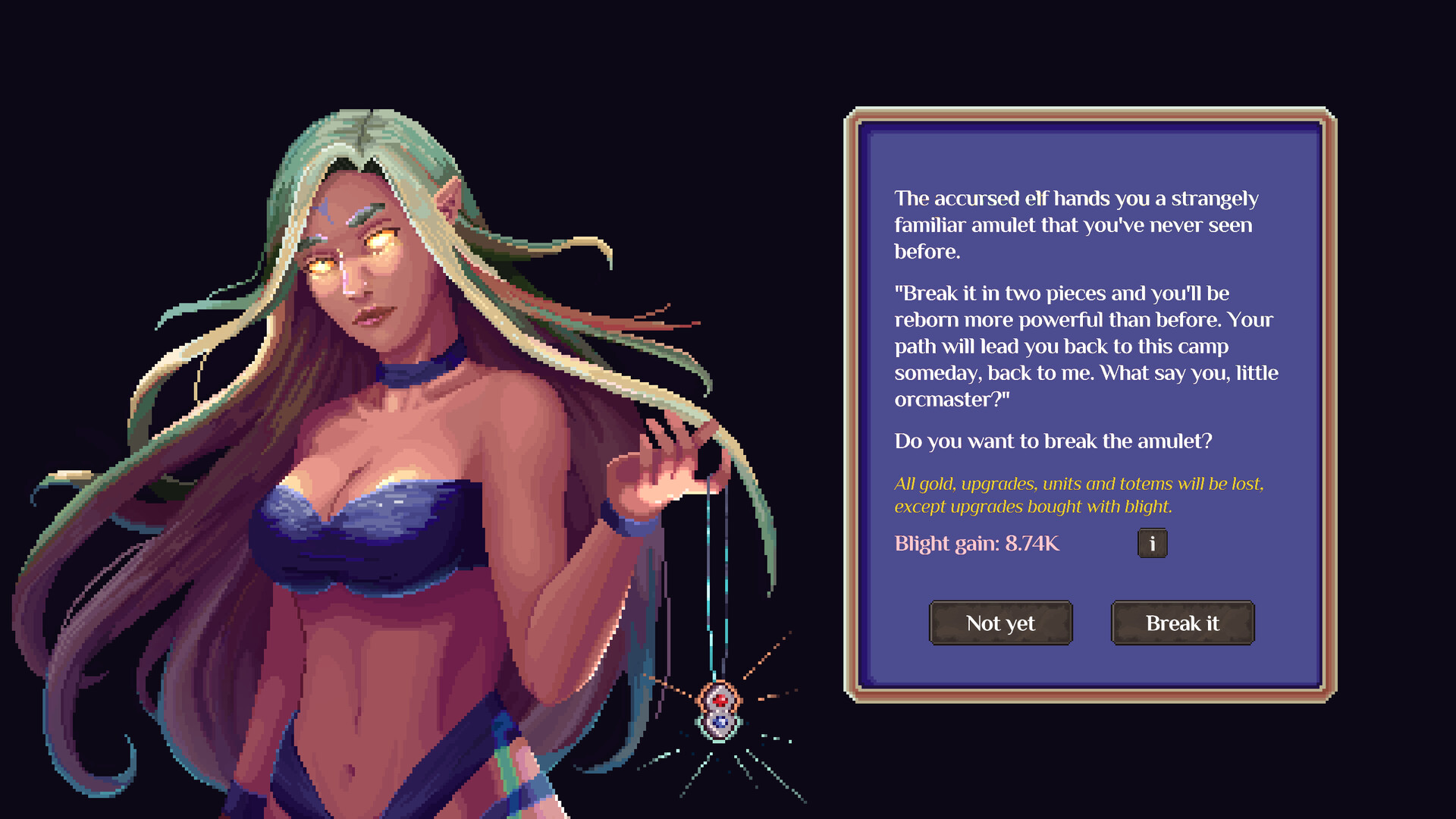
Dark Rebirth ends the current run so later runs can start with permanent strength and new options. The reset prompt shown in the official Steam screenshots warns that gold, upgrades, units, and bonuses from the current run are lost, while upgrades bought with Blight remain. Read the prompt in your own build before confirming, especially after a patch.
Reset after you can name what the new cycle should do better. A useful target might be reaching the same boss with a frontline that survives its opening attack, earning the next major purchase sooner, or unlocking a unit that answers a protected enemy. “The numbers feel slow” is not enough on its own when one affordable card, position change, or spell test remains.
Take a quick look at the current run before breaking the amulet:
- Note the highest battle you reached and the enemy that stopped you.
- Check the Blight gain displayed by the current reset prompt; do not copy another player’s amount or formula.
- Open the Blight Tree and see which reachable purchases fit the weakness you observed.
- Decide which Chieftain choice or permanent bonus should change the next trip back to that battle.
- Confirm the reset only when the next run has a specific first purchase or formation test.
The release reworked Chieftains into battlefield units. There are nine bloodlines, each with a right-click signature ability and a Martyrdom bonus that activates when the Chieftain is sacrificed. The Steam description also says you choose a Chieftain on each ascension. Read the offered bloodline and plan around its current text; the old demo’s Vendor-enhancement advice belongs to the previous Chieftain design.
Choose Blight Tree nodes for the fight ahead
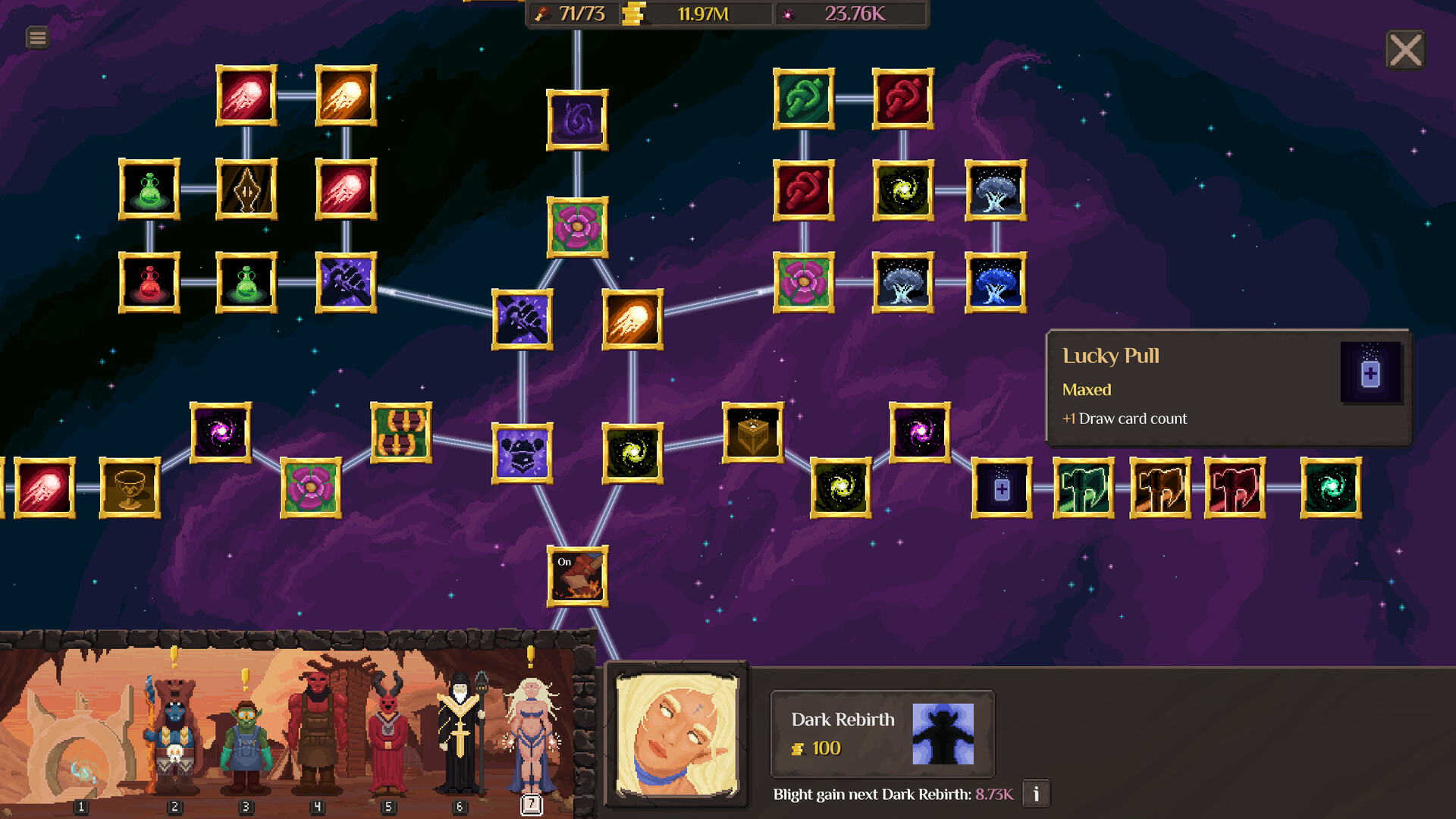
Version 1.0 expands the Blight Tree into a branching layout with more than 250 nodes. That size makes a fixed launch-day route fragile: your reachable branches, costs, prior purchases, Chieftain, and army can all change what helps next. Begin with the next battle you want to improve, then start at the nodes you can afford and follow only the branches you can see.
Separate access from effect. A line between two icons tells you where the branch continues; the tooltip tells you what the purchase does. Check the node name, full effect, cost, and prerequisite before spending. If a nearby node does not help the loss you just watched, look at what it unlocks rather than assuming every step on a longer branch is immediately valuable.
For the first purchase after a reset, prefer a benefit you can notice on the return trip. A frontline bonus should change how long the first contact lasts. A damage bonus should shorten a familiar fight once your attacker can reach the target. An economy bonus should bring a named purchase forward. If the run changes in several other ways, keep the conclusion modest and check again on the next cycle.
Update v1.0.1 limits how far the camera can drift away from the tree. If the view still seems to disappear into empty space, confirm that the update is installed before trying to navigate a large branch. Do not use a cropped promotional image to guess nodes that are off-screen or still locked.
Keep your demo save, but rebuild for version 1.0
The developers say demo saves transfer to the full game without special steps. The files remain under %APPDATA%/OrcIncremental and are also backed up through Steam Cloud. If your save appears normally, continue from it; you do not need to uninstall, export, or move the folder just to make 1.0 see it.
Recheck the warband before resuming an old push. The full release added four allied units, five Totems, new enemies, three legendary bosses, the reworked Chieftains, and the expanded Blight Tree. An army built around late-demo balance may still load while its former upgrade order or Chieftain plan no longer answers the current fight.
If pressing Play crashes on a Windows account whose username contains international characters, install Update v1.0.1. That patch specifically fixes the launch crash. It also removes knockback from the Juggernaut and reins in Blight Tree camera movement, so those two behaviors are worth retesting before you rebuild around them.
At the next wall, watch the loss and choose the first thing that must change. Test one card, position, upgrade, or spell adjustment. If focused purchases no longer move the battle, read the Dark Rebirth prompt, choose a reachable Blight benefit for the same problem, and compare the next run at a battle you remember.
Official links: Orc Incremental on Steam, the version 1.0 release overview, and the Update v1.0.1 notes.