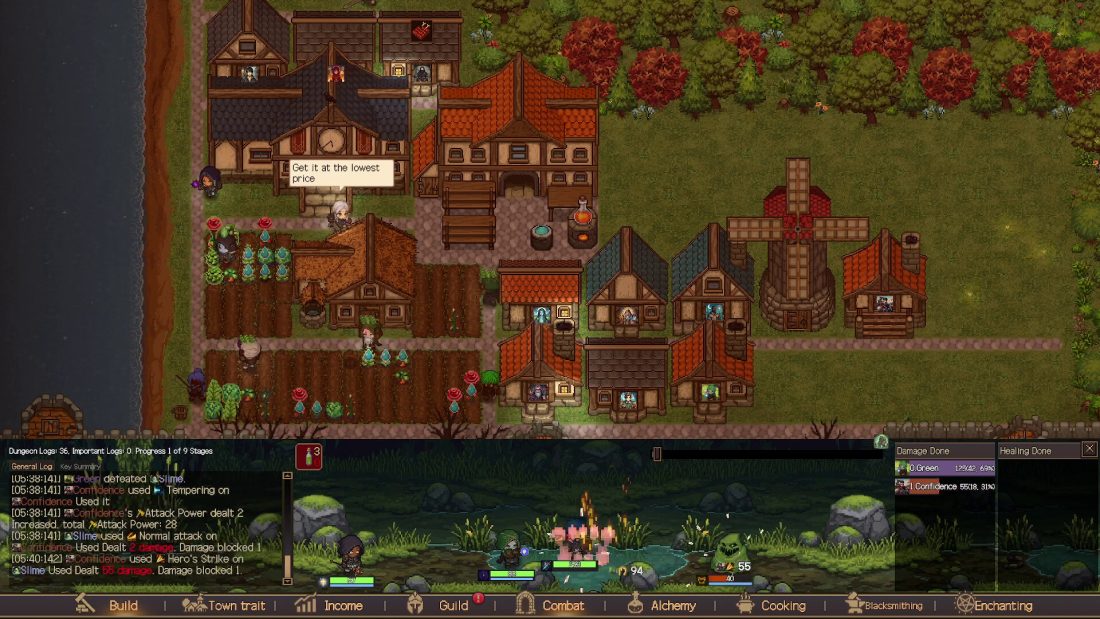
Follow the quest book and Crow prompts through village restoration, recruit members who can fill a combat role and a town profession, and complete one production chain before expanding. Prepare a tank, damage dealer, and healer or support member for early three-person dungeons. Keep enough food and potions for their next run, and check the result and each member’s Mood before sending them out again.
This guide covers the full release of Creator Chronicles, including the Guild Warehouse added in patch 1.16. If you are returning to a save from before that update, the Warehouse section below explains how its quests resume and how to route new equipment into storage.
Choose difficulty for the consequences you want
The full release has three difficulty options: Beginner, Adventurer, and Conqueror. Beginner sets monster stats to 60% of their normal values, removes the death penalty, and prevents permanent departure. It also protects guild members’ Mood from falling below a set threshold. Conqueror resets a fallen member to level 1, permits permanent departure when Mood is low, enables PvP, and records clear times on the global leaderboard. Read the New Game description before choosing your difficulty.
Beginner is a sensible first save if you want to learn production, buildings, and party settings without turning every bad dispatch into roster damage. Conqueror asks for a different habit: keep a replacement for each important combat role, check mood after a loss, and stop repeating a dungeon when the result screen already shows why the party is failing.
Treat the guild master as a working member of the roster, not a portrait. Choose a combat role you are comfortable building around, then choose a profession that complements the first production chain you plan to operate. Do not commit to an old race-stat table or Demo tier list; those values were adjusted during development.
Let the current quests set the order
The opening quests are the safest spine for a new save. Origin Studio reorganized them so the Crow appears early, individual achievement goals remain trackable, and core quest steps can be viewed as short guide videos. Patch 1.01 adjusted those videos to 1.25x playback and corrected achievement discoveries that could appear out of order. If a community guide tells you to build something that the current quest book has not introduced, pause and check the live requirement first.
Use this rule for every early purchase: the next building should remove a blocker you can name. A house removes a recruitment-capacity problem. A farm or gathering plot starts an input. A crafting building turns that input into food, potions, or equipment. A road shortens a route that workers or visitors actually use. If a building has no worker, no input, and no immediate unlock attached to it, leave the tile open.
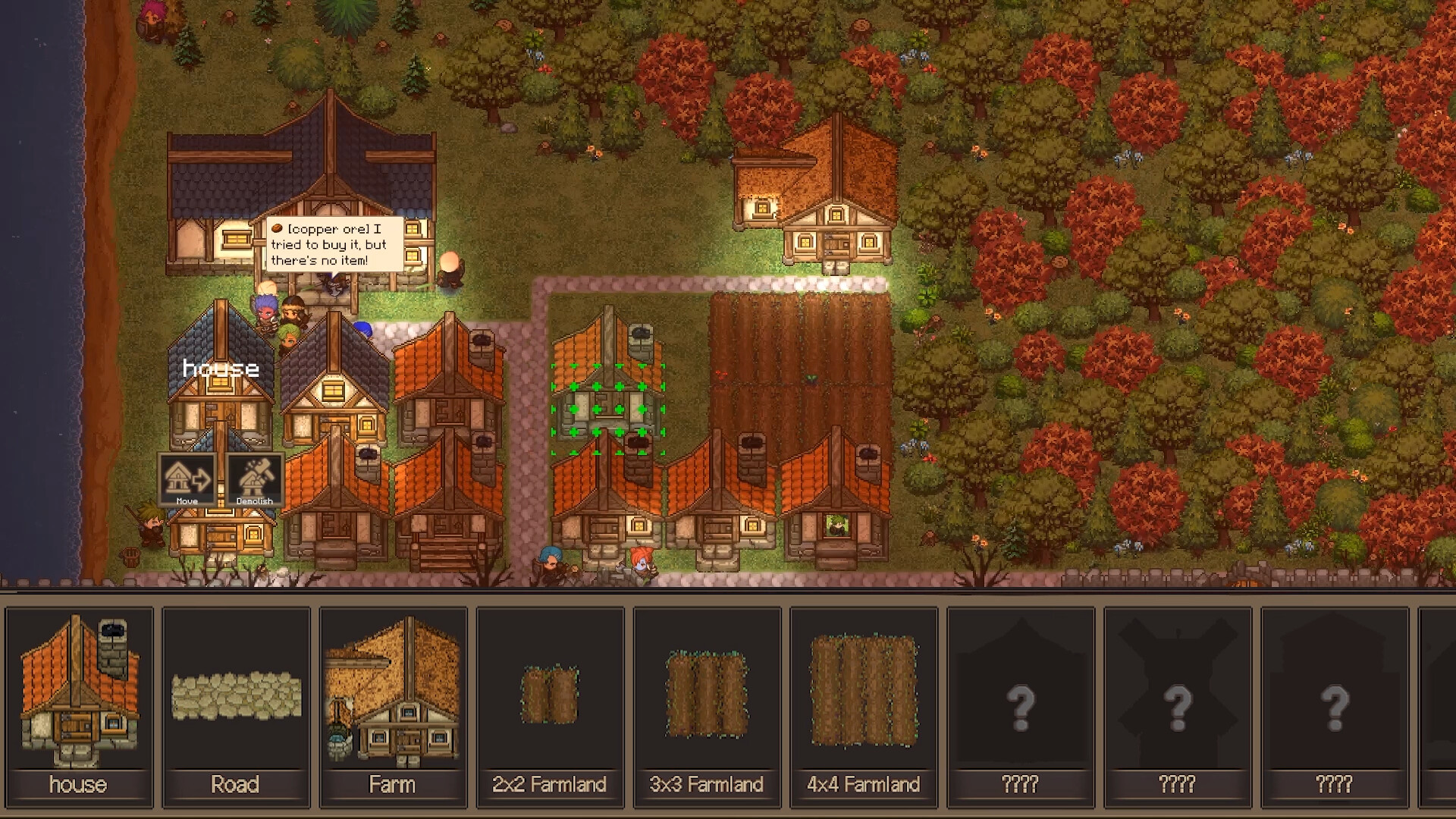
Pause before rearranging the town. In version 1.01, construction, moving, demolition, and road editing all work while the game is paused. That makes layout repair safer than it was in launch-day guides: stop the clock, open the build menu, fix access, confirm the cost, and resume only when the next useful job can run.
Finish one production chain before opening three
The cleanest early milestone is one chain that starts with a resource and ends with something your next dungeon party will use. Herbalism into Alchemy is the obvious example: a member grows herbs, another turns the inputs into potions, and the party takes those potions into a dungeon. Mining into Blacksmithing and Fishing into Cooking are valuable too, but opening all three chains at once spreads your housing, gold, workers, and raw materials across too many unfinished jobs.
When production will not start, check four things in order:
- Unlock: has the current town level, quest, or discovery actually made the facility and recipe available?
- Inputs: are the required materials in storage, or were they sold through the Auction House?
- Worker: is a guild member with the correct profession assigned, and does the interface show that they can make the item?
- Target: has the stored quantity already reached the production target?
Set targets around the next job instead of an arbitrary large number. Keep enough food and potions for the party you are preparing, then protect that reserve from sale. If the interface shows a recipe or worker-level requirement, trust that current value. The official launch notes confirm that higher-tier herbs, ores, ingots, potions, and elixirs open later, so an empty late-game slot is not proof that the opening route is broken.
Recruit for a combat role and a town job
Each recruit has two reasons to occupy a house: what they do in a fight and what they do in town. Start by covering a front line, damage, and healing or support for an early three-member standard dungeon. Then compare professions. When two candidates fill the same combat gap, take the one who can staff the production chain that is currently waiting.
| Roster gap | What to look for | Why it matters now |
|---|---|---|
| Front line | A durable tank role | Keeps fragile damage and healing members from absorbing the first pressure |
| Damage | A member whose class and gear can end fights cleanly | Shorter battles consume fewer supplies and create fewer chances for a collapse |
| Recovery | A healer or support member | Turns ordinary damage into a manageable supply cost instead of a wipe |
| First supply chain | Herbalism and Alchemy, or another complete input-and-craft pair | Lets the village replace what the party spends |
| Next equipment gate | Mining and Blacksmithing when their facilities are actually available | Connects ore collection to crafted weapons and armor |
Keep a housing vacancy before waiting for a specific profession. A visitor with the perfect class is not useful if the invite cannot be completed. The contacts tools were expanded during development to sort by class, profession, level, combat power, and invitation availability, so search for the missing function instead of memorizing a pre-release list of names.
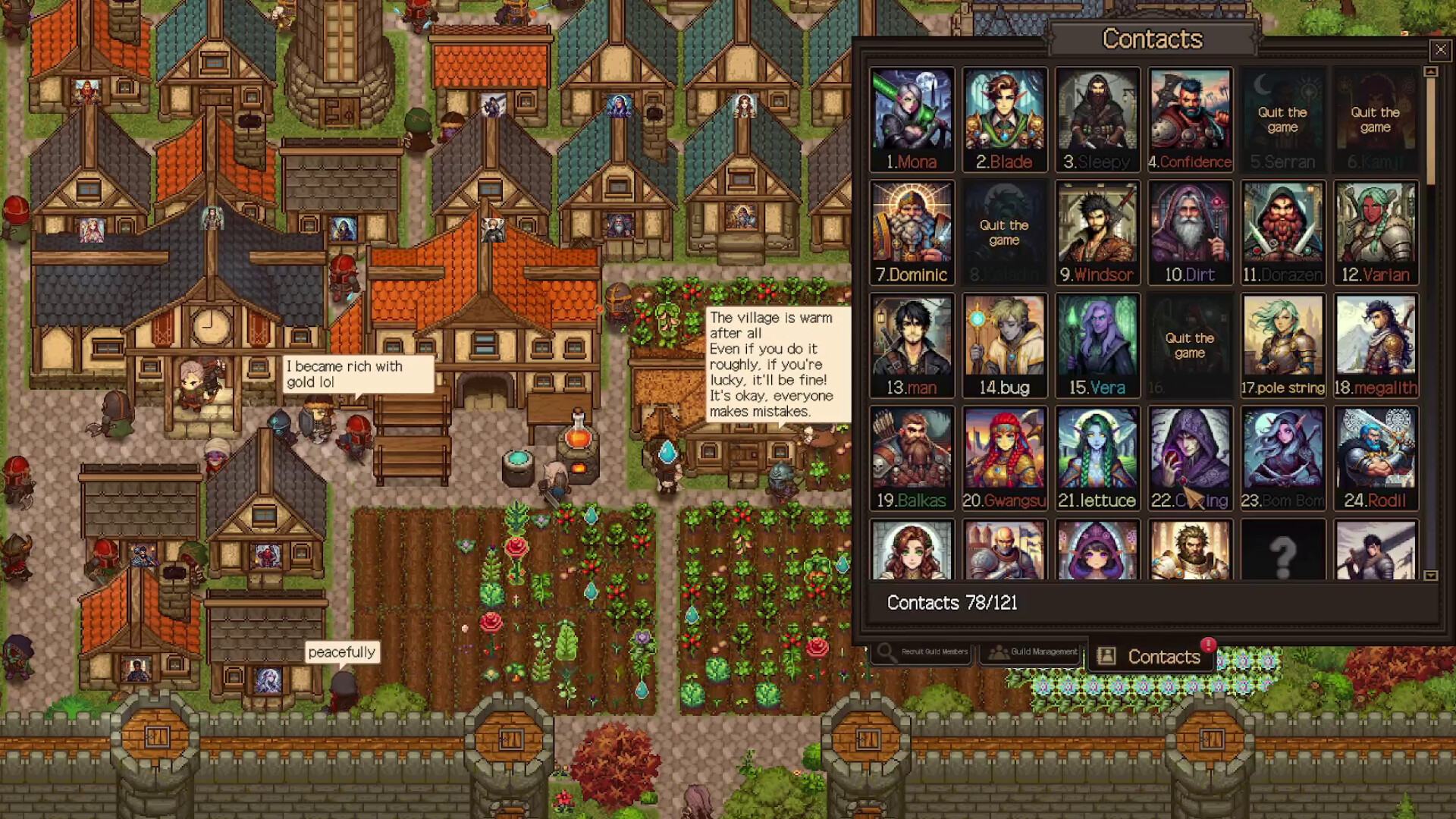
The full release contains 120 recruitable guild members, with members 31 through 120 appearing gradually as their discovery conditions are met. That is a long-term roster, not an opening checklist. Recruit when a house, battle role, profession, or discovery condition gives the new member an immediate purpose.
Keep the Auction House useful without feeding it your next upgrade
The Auction House is both a shortcut and a leak. The official store description allows you to pay more for an item you need immediately or wait for a cheaper listing. Pre-launch economy changes also made purchases, sales, unsold listings, and available quantity affect market prices. A permanent “best item to sell” chart will age badly in a market designed to move.
Keep the entrance clear and the visitor route short. Group related production near the resources you check together, and leave corridors for buildings the quest line has not revealed yet. Sell genuine surplus, not the last ingredient for the next potion, ingot, or meal. When the market swings during a World Event, look at the stock you can replace before chasing the highest visible price.
Patch 1.01 renamed the bottom-menu label from Income to Auction House. If an older guide tells you to open Income, it is pointing at the same economy area under its launch-day label.
Store new equipment with the Guild Warehouse
Patch 1.16 added the Guild Warehouse and three related main quests. If an older save has already passed the relevant point in the quest line, loading it makes the new quests available, starting with Warehouse construction. Follow that construction quest to join the new sequence.
The Warehouse has eight bag slots. Buy slots with gold, then install bags obtained from dungeon clear rewards or the Auction House’s Bags tab. Unlocking a bag slot alone adds no storage capacity. Gear in the Warehouse can be equipped by clicking or dragging it onto a guild member’s equipment slot.
In Party Preset Strategy, set Item Distribution Method to Master Call to send equipment from subsequent dungeon runs to the Warehouse. Changing this setting does not reclaim or unequip anything members are already wearing, and it does not change a dungeon run that has already departed.
If the Warehouse is missing or full, equipment that cannot be stored goes through a Gold Auction instead. The auction result may replace a member’s equipped gear. Before sending out a Master Call party, check that the Warehouse exists and has room. Right-click equipped gear to lock it if you want to prevent replacement.
The Warehouse also provides additional discovery routes for No. 72 Riley and No. 95 Royal Guard at total capacities of at least 250 and 350 slots, respectively. Add together the capacities of the bags you have actually installed. Empty spaces inside those bags count; you do not have to fill them with items. Purchased bag slots without bags do not count, and the existing discovery routes remain available.
Dispatch only when the party can answer the dungeon screen
A dungeon being visible does not mean the current party is ready. Before departure, compare the requested party size, level range or combat-power display, available supplies, equipment, and each member’s mood. Version 1.01 added a warning on every difficulty when a standard dungeon party is short a member, and it improved combat-power displays for all 19 standard dungeons. Use those warnings as a stop sign, not a reminder to press the button twice.
For an early three-person run, begin with tank, damage, and healing or support. Adjust potion, healing, and attack behavior through Party Strategy when the option is available. A second damage dealer may eventually be faster, but only after the result screen shows that the front line and recovery are already comfortable.
After the run, read what happened before changing the roster:
- If one member absorbed most of the incoming damage, check their level, armor, class role, and recovery support.
- If healing ran dry, inspect supplies and Party Strategy before assuming the healer is weak.
- If the party survived but timed out or consumed too much, improve damage, skills, or equipment instead of adding more healing.
- If an item appears missing, check Drop History. Patch 1.01 changed the result screens to include auction awards, missed equipment, and gear that the game dismantled.
- If a guild member fled, do not treat the clear as free experience. Version 1.01 fixed a bug that allowed fleeing members to level after someone else finished the dungeon.
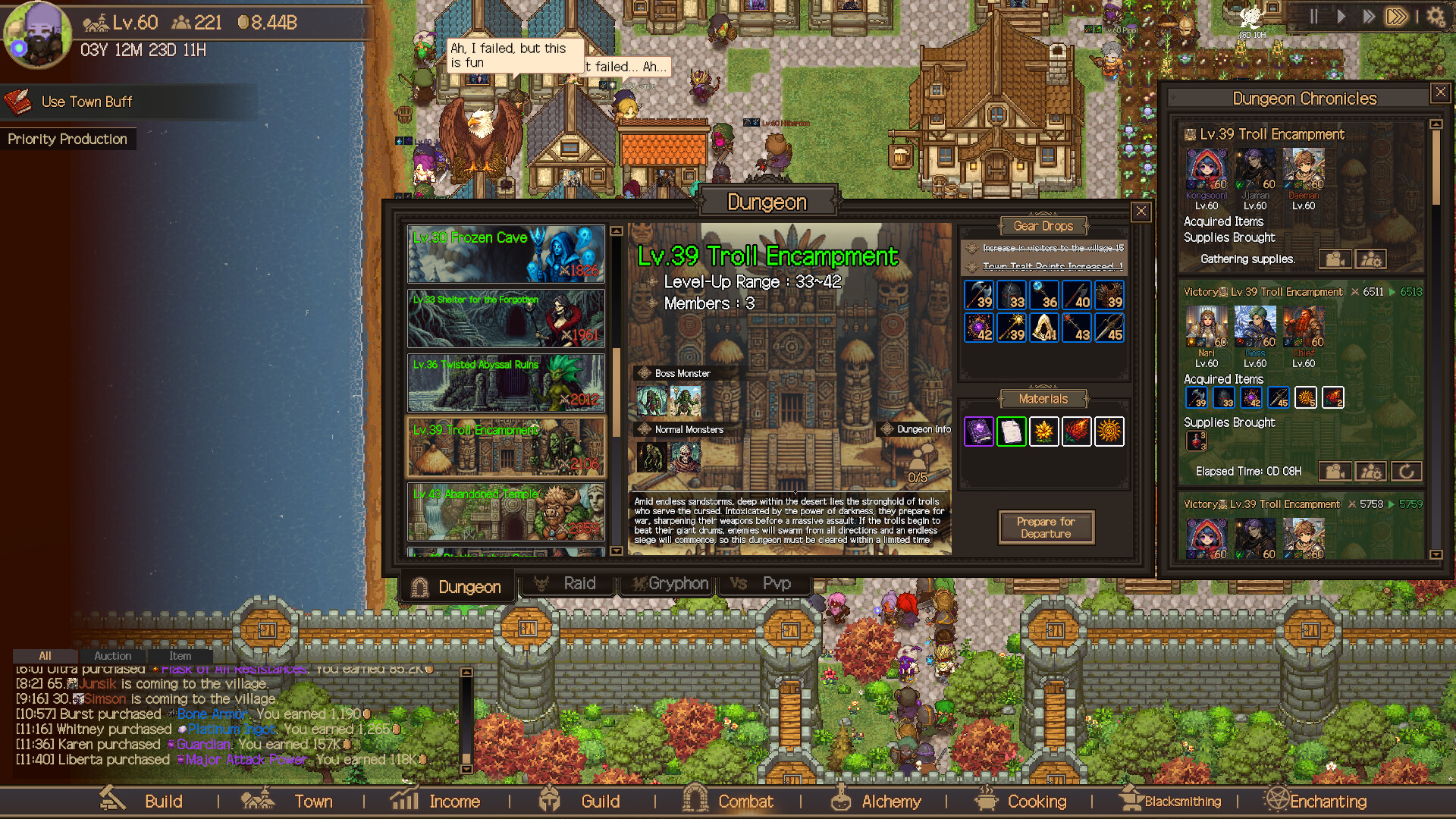
The launch version includes 19 standard dungeons and seven larger raids. Raid parties can require 10, 12, or 15 members, and some raids contain consecutive fights or multiple bosses. Those numbers describe the full game’s scale; they do not make a raid the next sensible target for a new village. Build one reliable standard-dungeon team first, then a second team, before turning roster depth into a raid plan.
Check mood before repeating a loss
Low Mood can cause a guild member to attract additional monsters in a dungeon. Mood can also change the combat effects of some Traits and Unique Abilities, so inspect the affected member’s descriptions when their contribution changes. Permanent departure depends on the difficulty and any applicable protections; Beginner has a protected Mood minimum and prevents permanent departure.
After a bad run, inspect the affected members before dispatching again. Check their Mood and any Traits or Unique Abilities whose effects depend on it. Tavern conversations can address worries and conflicts, and your choices can change Mood. Guests may also bring dungeon rumors or adventure clues. Check the member’s Mood after the conversation before assigning another risky fight.
The Tavern also supports automatic part-time jobs. Once it is built, use Tavern Companions to register up to six guild members at the Request Board. They can automatically complete requests whose requirements they meet. This gives the building a use beyond Mood management.
Affinity and mood both reward paying attention to individual recruits, but they are separate meters. Gifts can raise Affinity and unlock relationship benefits; the Tavern handles conversations and conflicts. If a rare production specialist is unhappy, put the next difficult dungeon on hold rather than gambling both combat strength and a village job.
Unlock later buildings in response to the bottleneck
The full release adds several major facilities. Their best order depends on what your current quest, party, and production stock are missing:
- Blacksmith: smelts ore into ingots and crafts weapons and armor. Build it when Mining can supply it and equipment is the next limit.
- Magic School: dismantles equipment, creates enchanting materials and scrolls, enchants gear, and lets members learn or swap skills. Discovered Skill Books and fragments support a four-skill loadout.
- Tavern: provides conversations, Mood management, guest rumors, and automatic part-time jobs for registered members.
- Guild Warehouse: stores dungeon equipment for manual assignment. Install bags and leave space before relying on Master Call.
- Griffin Landing: unlocks automated expeditions. Presets can choose a target dungeon, run count, and supplies, but automation only repeats the plan you give it.
- Monument and Fountain: use dragon-blood materials for town-wide buffs. They belong after the source material and a useful buff are visible.
- Hall of the Battlefield: supports three-member PvP teams and Honor Points. It is optional for a player focused on the town and story.
Build the Blacksmith when you can supply ore, and set up automated expeditions only after a party can repeat its target dungeon reliably. The Tavern can help with either Mood or part-time work. For the Warehouse, budget for installed bags as well as the building and bag slots.
Use these checks when the opening stops moving
| What you see | Check first | Best next action |
|---|---|---|
| A recruit appears, but the invite cannot be completed | Free housing and the contact’s discovery requirements | Create one vacancy, then retry while the contact is available |
| A production building is idle | Unlock, input, worker profession, and target quantity | Fix the first failed requirement instead of constructing a duplicate |
| Reserved materials keep disappearing | Auction House sale settings and current stock | Protect the dungeon or crafting reserve; sell only what the chain can replace |
| A dungeon party loses repeatedly | Party size, combat power, roles, equipment, supplies, and the last result log | Change the specific weak point, then test on an appropriate standard dungeon |
| A potion was consumed while entry buffs were applied | Game version | Install patch 1.01 or later; that launch-day bug was fixed |
| A member attracts extra monsters or a Mood-dependent ability changes | Mood, Traits, Unique Abilities, and difficulty protections | Address low Mood before repeating the dispatch |
| New gear is auctioned despite Master Call | Warehouse existence, free capacity, and whether the run departed before the setting changed | Install bags or free space, then check the setting before the next departure |
| Warehouse capacity has not unlocked Riley or Royal Guard | Total capacity of installed bags | Reach at least 250 slots for Riley or 350 for Royal Guard; unlocked slots without bags add nothing |
| The next quest is unclear | Quest book, Crow prompt, guide video, and current achievement goal | Follow the live objective; do not import an exact Demo sequence |
You have a stable opening when the next recruit has a bed and a job, one production chain replaces the supplies your party spends, the standard-dungeon result explains rather than surprises you, and a loss does not automatically trigger the same dispatch again. From there, the main quests lead through equipment crafting, enchanting, Tavern management, automated expeditions, raids, and the final battle. The three endings and post-completion carryover can wait until the guild can survive the week in front of it.
Version notes
Updated October 19, 2026 with the Guild Warehouse introduced in patch 1.16 and Origin Studio’s clarifications on difficulty, Mood, Tavern jobs, existing saves, and equipment distribution.