
To clear Sniper Dan’s main route, finish all three workdays in each of the six locations and complete every Job Note shown on the right side of the screen. When chasing an S rank, complete every job, finish below the displayed par time, avoid bad hits and leave no failed jobs. The office map records each day’s rank and best time, so you can replay one slow day without restarting the rest of the location.
A fixed list of target coordinates will not stay reliable because Denki says jobs use dynamic solutions. Read the clue, watch the target boxes on the active note and search the scene in a consistent order. This guide covers that process, a sweep plan for all six locations, S-rank cleanup and the modes that open after the normal jobs.
The quickest route through the main game
- Finish the office tutorial and use the map behind Dan’s desk to choose a location and day.
- Open the first Job Note. Read the full clue before firing, including the number of empty boxes beneath it.
- Search the foreground, middle distance and background in separate passes. Complete the active job before moving down the list.
- At the Work Review, check time, par time, bad hits, hints used, jobs completed and jobs failed. Replay the day if you are chasing S and the result falls short.
- Clear all three days in the location, then check its Jobs Done, Total Time, day ranks and best times on the map.
- After the normal route, return to the office for Answerphone Jobs and use the map for Time Attack, Ammo Hunt and other unlocked activities.
The six locations are Perky Park, Happy Harbour, Funky Farm, Vibrant Village, Aces Airport and Central City. Their job totals are not identical. Happy Harbour reaches 25/25, while Aces Airport and Central City reach 24/24 on the completed map. Follow the total printed on your current map instead of assuming every area has the same checklist.
How to solve a Job Note
The yellow note at the top right gives the job reference and the clue. The small boxes under the clue show how many valid targets remain. A single-box request needs one correct interaction; a row of boxes means the job is not finished after the first hit. The vertical stack below the active note is the day’s full job list, and completed entries receive a green check.

Translate each clue into a verb and a likely object. "The fish aren’t biting" points to bait rather than the fish or the person holding the rod. A request to remove banana skins asks for several small objects, while a fireworks job asks for multiple triggers. Before shooting, ask what must move, open, fall, start, stop, break or be cleared.
Use the counter as immediate feedback. If one box fills, you have identified the right kind of target and should search for more of the same. If nothing changes, stop firing and reconsider the clue. Random shots are especially unhelpful on an S-rank attempt because the Work Review tracks bad hits.
How to earn S ranks
Sniper Dan shows the parts of your performance that matter at the Work Review, although neither the game screen nor the official Steam information gives an exact rank formula. Use these targets for a clean S-rank attempt:
- finish every Job Note for the day;
- finish before the par time shown on the Work Review;
- record zero failed jobs;
- avoid bad hits by confirming the clue before firing;
- keep the search moving so the final time leaves a margin below par.
Two S-rank Work Reviews provide useful benchmarks. The first finishes in 09:24.11 against a 10:00.00 par with 96 hits, zero bad hits, zero hints used, eight jobs completed and zero failed. The second clears eight jobs with no failures in 07:39.88 against the same par. These examples do not reveal a universal numerical cutoff for every day.
Hints Used appears on the review screen, but its exact effect on the grade is not stated. If a long search has already spoiled the run, use a hint instead of adding bad hits with random shots. Learn the target, finish the day and replay it cleanly.

Use the map for rank cleanup. Select each day tab and compare its rank, jobs completed and best time. A location can have every job checked while still sitting below S, as the official Happy Harbour screenshot shows. Replay the weakest day instead of repeating one that is already fast and complete.
A systematic sweep for every location
Give each pass a clear boundary. Search the foreground first, move across the middle distance, then inspect the skyline and far edge. Reverse direction on the second pass. This keeps roofs, boats, crop rows and vehicles from blending into one repeated left-to-right scan.
| Location | First sweep | Easy-to-miss layer |
|---|---|---|
| Perky Park | Follow paths, benches, fountains and the edges of lawns. | Look among tree canopies, small props beside people and objects around the outer fence. |
| Happy Harbour | Trace docks and boats from one side of the water to the other. | Check engines, cargo, cranes, the waterline and the distant town rather than treating the harbour as one flat scene. |
| Funky Farm | Search fields row by row, then barns, machinery and animal pens. | Inspect fence lines, silo tops, distant hills and small items beside equipment. |
| Vibrant Village | Work along each road and building frontage before moving to the next block. | Check roofs, upper windows, gardens, waterways and activity behind the nearest houses. |
| Aces Airport | Separate the terminal, runway, parked aircraft and service areas. | Scan signs, wheels, luggage, rooftops and small debris on the tarmac. The official location description warns that some airport jobs are very small. |
| Central City | Clear street level and the central public spaces first. | Inspect windows, alleys, rooftops and the far background. Buildings can hide targets at several heights. |
Stay at a wider zoom while choosing which part of the scene to inspect. Zoom in to confirm a small object, then pull back after the hit so the next target does not sit just outside the scope.
What to do when a job will not complete
- Read the exact note again. A clue may identify the result instead of the item to shoot, so look for the object that can cause that result.
- Count the boxes. An empty box means at least one valid target is still in the scene.
- Check roofs, treetops, cranes and distant buildings as well as the ground.
- Search the outer edges and behind foreground objects after clearing the busy central area.
- Use the hint card before spraying shots. A hint can resolve the clue; guesses add bad hits and waste time.
- Expect the solution to change on replay. A previous object or position may not solve the same job next time.
For multi-target jobs, reload before starting if the magazine is low. The bullet display at the bottom of the screen makes that check quick. After each valid hit, pause long enough to see whether a box filled or the note received its completion mark.
Progression, cash and the office
Successful work awards cash and reputation. The Magic Market sells rifle upgrades, costumes, collectibles and office decorations, as well as equipment connected to other activities. The standard edition contains the complete game. The separately sold Hotshot DLC adds 18 cosmetic items for Dan, his rifle and the office, with no additional gameplay.
Completing a location can trigger a message that a new customer is available on the Answerphone. Check the office after finishing each area instead of waiting until every normal day is over. Answerphone requests add more work; they do not replace the three-day location checklists.
Extra modes and mini-games
| Activity | What to do |
|---|---|
| Answerphone Jobs | Listen at the office, identify the caller’s problem and travel out for the extra request. |
| Time Attack | Solve targets against the clock. Use the normal-day sweeps to learn each environment first. |
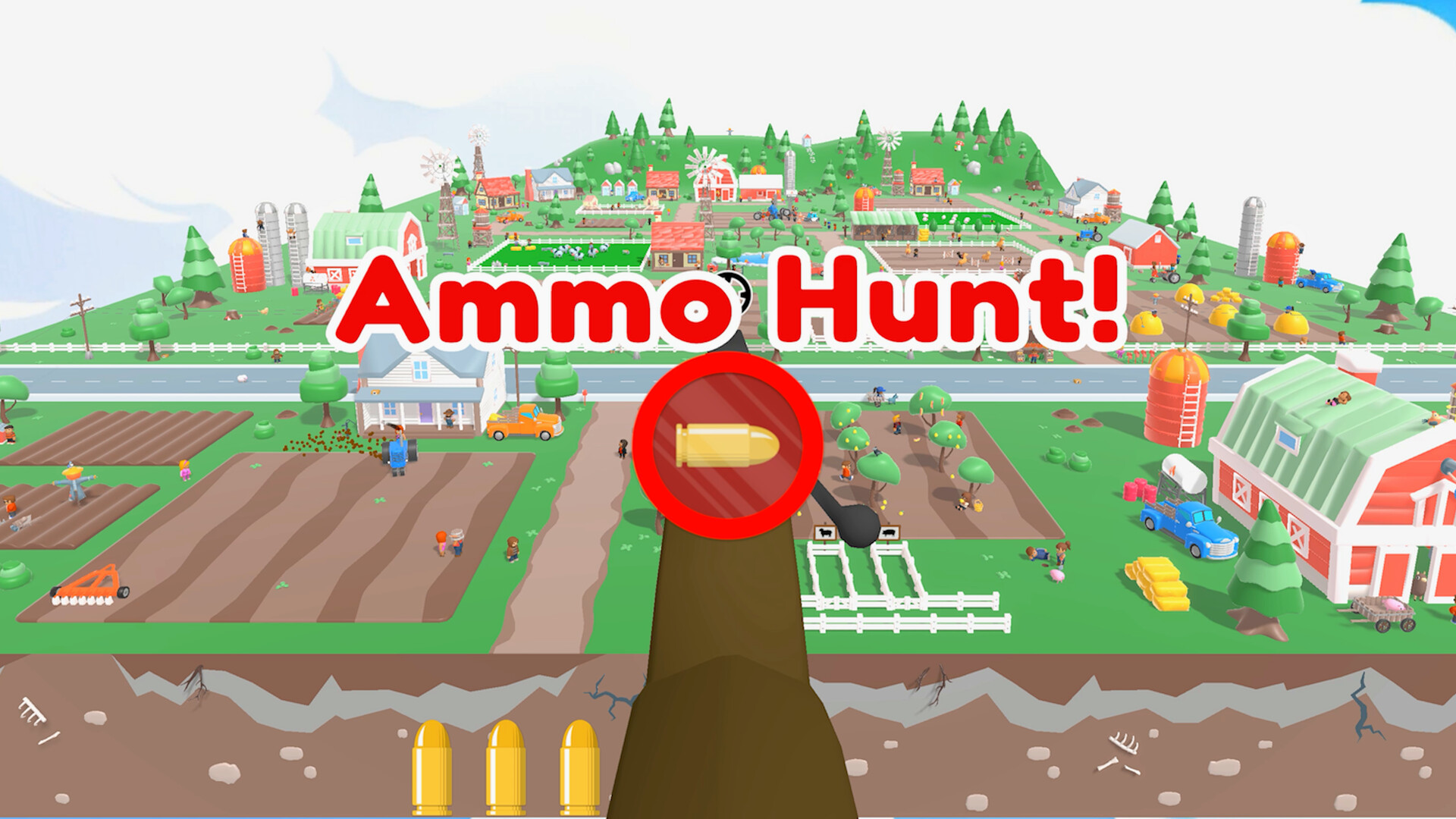
| Ammo Hunt | Search the environment for hidden ammunition, including places that ordinary Job Notes do not make you inspect. |
| Snapshot Mode | Revisit the locations for their photo opportunities rather than job completion. |
| Bowling | Shoot the ball down the lane and use its angle to clear the pins. |
| Tennis | Return incoming balls with timed shots as the pace becomes busier. |
| Air Hockey | Place shots on the puck to drive it into the opponent’s goal. |
| Carnival and bonus games | Use the same observation and timing skills in the smaller side activities found around Clumsy County. |
The three named mini-games must first be purchased from the Magic Market and then found in the world. Time Attack and Ammo Hunt are separate activities beyond the six-location job route, so reaching the end of the normal jobs does not finish the optional checklist.
Completion checklist
- Clear all three normal workdays in all six locations.
- Match every location’s Jobs Done total and replay days that remain below your target rank.
- Complete the Answerphone Jobs that arrive as locations are cleared.
- Finish Time Attack and Ammo Hunt challenges.
- Buy and locate Bowling, Tennis and Air Hockey, then play their rounds.
- Search for the Jiangshi hidden in each of the six locations.
- Work through the game’s 100-plus secrets and 45 photo opportunities. The official Steam page counts 200-plus ambient stories separately from jobs, so do not treat that number as a list of shootable objectives.
- Compare your progress with the game’s 19 Steam Achievements.
If you only want the main ending, clear the three normal days in every location. The remaining items cover rank cleanup and optional completion. Dynamic solutions, replayed days and optional searches mean there is no dependable universal completion time.
Version note: the official information in this guide was checked on September 18, 2026, one day after Sniper Dan’s release. The recorded playthrough did not display an exact build number. Later updates may change jobs, ranks or unlock behavior.
Sources and credits
Game systems, location names, content totals and release details come from the official Sniper Dan Steam page and Denki and PQube’s official Steam announcements. A five-hour recorded playthrough supplied for this guide was used to check the visible progression, Work Review fields, job examples, map totals and extra-mode route. All four images are untouched official Steam store screenshots.