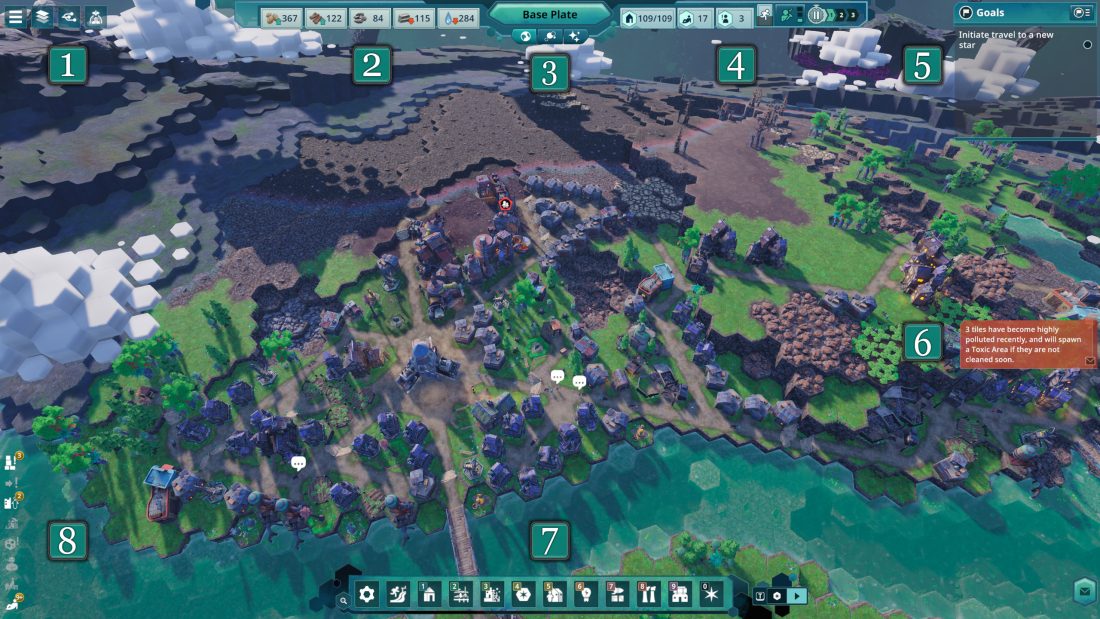
Build five Huts, two Potato Patches and a Water Pump around the Home Spaceship, then follow the Woodcutter and mining goals into your first powered industry. Keep homes close to those jobs. When production stops, inspect the building’s inputs and both outputs before adding another factory: a full waste pile can stop a producer that still has room for its main product.
This Beyond These Stars beginner walkthrough covers the October 2026 PC release, from the first settlement through Tools, Steel and opening the first blocked river. It also explains how to keep that growing colony supplied while expanding Kewa’s breathable atmosphere.
The first five Huts, two Potato Patches and a pump
The Home Spaceship carries 30 Peeps, but only three initially come outside. More emerge as you provide accommodation. Your first five ordinary Huts house ten Peeps, so they are an opening milestone. Keep adding homes as the jobs and food supply grow until the initial crew can leave the ship.
Lay a road out from the ship before surrounding it with buildings. Roads use no construction resources, and buildings need a road connection to be built and function. Hold Left Ctrl to use free placement if you need to rotate or position a blueprint before attaching it to a road. Finish the connection afterwards; a correctly placed blueprint still needs access.
An ordinary Hut costs four Wood and four Stone and houses two Peeps. Fifteen unboosted Huts therefore accommodate the starting 30, but spending all that Wood before establishing a Woodcutter delays the production needed to build them. Start with the tutorial’s five, add the two Potato Patches and pump, then return to housing between industrial unlocks.
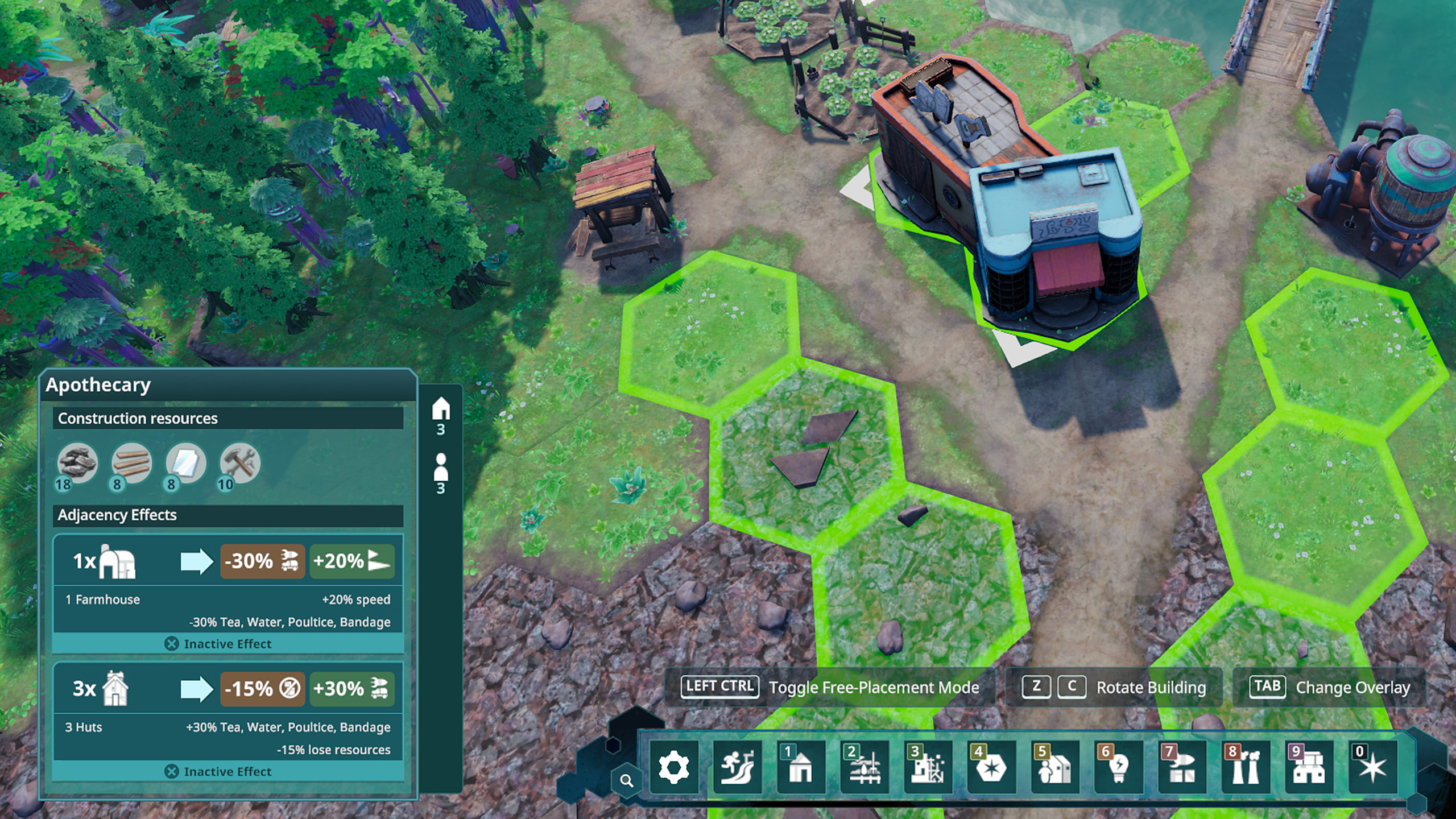
Keep a short route between the Huts, their food and the riverbank. A Hut beside two Potato Patches gains 20% more housing Happiness. Adjacency only applies on the same terrain level, so a patch immediately above a Hut on a cliff does not provide that arrangement. Leave the road entrance open while fitting the buildings together.
Place the Water Pump on the riverbank near the homes, but avoid touching a Hut: that adjacency reduces pump production by 20%. Pumps cost two Wood and two Iron and produce without a worker. A position surrounded by three underwater tiles gives 30% more storage, which is useful where the bank’s shape permits it.
As more of the original crew moves into homes, increase the opening setup to six Potato Patches and two Water Pumps in total. Those are the tutorial’s later food and drink goals alongside the Storage Shed and Sawmill stage. Add four patches and one pump to the first setup, then keep watching supply as the population grows.
The ship supplies starter Water and Potatoes while you establish separate production. Watch the residents’ breaks after the first buildings finish. Peeps try to consume a food item and a drink after each shift. Receiving only one restores half as much Energy and gives less Happiness, so a functioning Potato Patch does not compensate for an inaccessible or inadequate drinking supply.
Why a workplace can stay empty
Select a Hut to display the blue work-range outline before placing the next Woodcutter or Mine. Peeps only accept jobs within reach of their home. They can travel farther to carry goods, so a Peep walking past a remote workplace does not mean anyone can take its job.
As you reach resources farther across Kewa, build another small cluster of housing, food and water near them. This keeps the new workplaces inside an occupied home’s range and gives those residents somewhere nearby to recover between shifts. A long industrial strip served by a single residential block eventually leaves jobs unfilled.
Check the top bar for idle Peeps and vacant job slots together. A resource-producing building needs every work slot filled to operate. If your construction queue adds more jobs than the population can cover, pause a producer whose output you already have enough of. That frees workers without removing the building or spending more materials.
Preview adjacency before confirming later buildings. Some arrangements improve speed while reducing storage or changing another output. Keep the effect you need for the current task, and remember that moving or demolishing a neighbor can remove it. Flattening terrain later can make a useful arrangement possible where the first uneven ground prevented it.
Follow the material chain from Wood to Steel
Build the Woodcutter beside a usable Forest, with a road and occupied housing in reach. The opening goal asks you to produce five Wood in that building. The ship’s stored Wood cannot satisfy a goal that specifically requires Woodcutter production. Let the worker complete the job, then open the Technology Tree when the Mine becomes available.
The mining goals ask for both a Stone Mine and an Iron Ore Mine. Open the Mineable Resources overlay to find each deposit, place a Mine within reach and select the matching resource in its Work panel. Stone replenishes your construction supply; Iron Ore feeds the Ore Smelter. Give both mines road access and occupied housing in work range. Place the first Burner Generator beside the smelter so the powered buildings connect. The generator can consume either Wood or Wood Waste; switching to waste can preserve timber for construction.
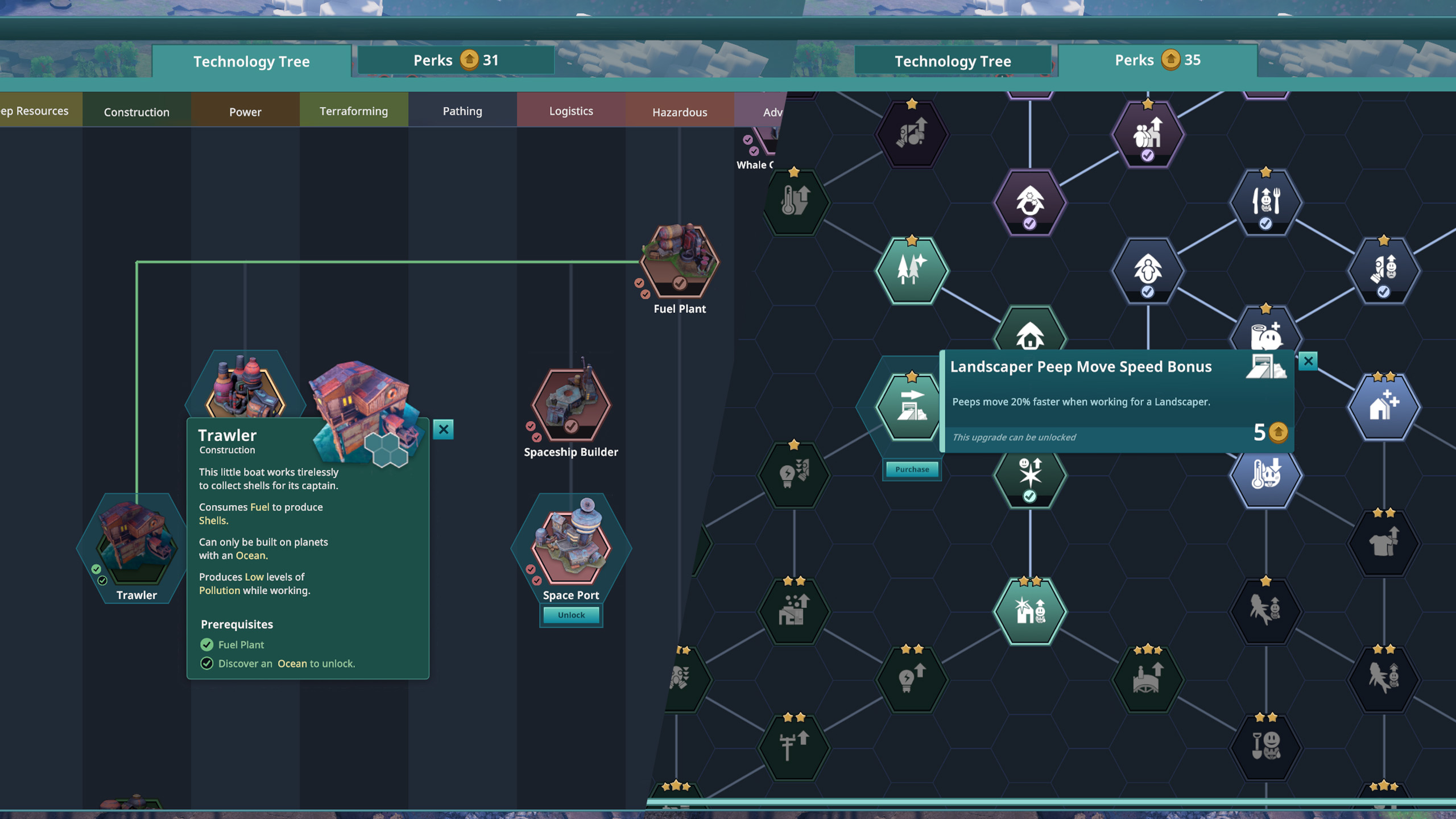
Follow the prerequisite shown on each technology card. The opening chain contains several production goals that buying or holding a resource will not replace:
| Next building | Production milestone in the opening route | What it adds |
|---|---|---|
| Toolsmith | Produce 10 Iron in the Ore Smelter. | Uses Iron, Wood and Power to make Tools, with Slag as a by-product. |
| Sawmill | Produce 10 Tools in the Toolsmith. | Turns Wood into Planks and also produces Wood Waste. |
| Metal Smelter | Produce 10 Sand with a Mine. | Makes Steel from Iron and Soot when supplied with Power. |
| Landscaper | Produce 10 Steel in the Metal Smelter. | Allows terrain work and, with their supplies available, composting and forest planting. |
If the Metal Smelter remains locked while Iron is piling up, inspect the Sand prerequisite. Use a Mine that can reach Sand and select that output. After unlocking the Metal Smelter, select Steel in its Work panel. It needs Iron from the Ore Smelter, Soot from the earlier industry and connected Power. The earlier Burner Generator and Ore Smelter produce Soot, so keep a route from their inventories to the Metal Smelter. Unlock and build each new producer when its milestone completes, and connect powered consumers to the generator as the chain grows.
Technology unlocks also award Perk Points. Spend those in the separate Perks tab; they improve the colony after you meet the building conditions. For the coming earthworks, the Landscaper movement perk makes its Peeps move 20% faster. If Peeps are already running short of Energy or walking through heavy pollution, spend points on the relevant food, exhaustion or pollution improvement first.
Full by-product storage stops the whole building
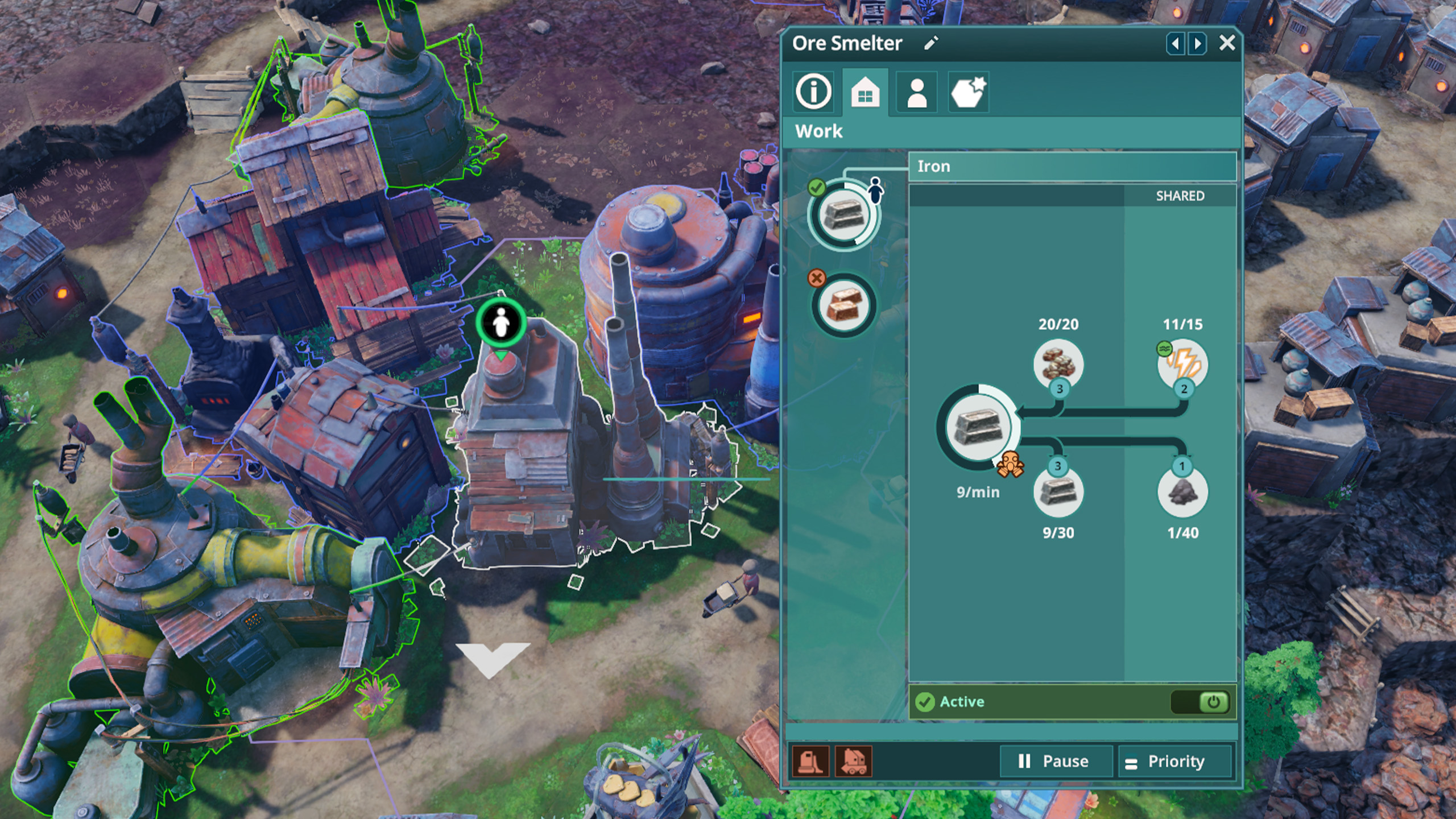
Open a producer’s Work panel and read the full recipe. The Ore Smelter makes Iron and Soot. A Woodcutter makes Wood and Wood Waste. If either output’s storage fills, the whole process can stop, even with plenty of input materials and space for the other output.
Storage Sheds unlock when your population reaches 30 Peeps. Each has 80 units of capacity, assigned in blocks of 20. You can store different resources or devote more of the space to a material that repeatedly blocks a nearby producer. The shed also needs a worker to collect the resources you configure.
- Build the shed near the affected production, within reach of occupied housing.
- Select Edit in the shed’s Warehouse panel and choose the material that is filling the producer’s output, such as Wood Waste or Soot.
- Allocate a 20-unit block to that resource and confirm that the shed is staffed during a work shift.
- Watch the producer’s output inventory fall as the resources move into the shed. Its production should resume once the blockage clears and its other requirements are met.
A shed with no assigned resources cannot clear the particular pile you need moved. A shed that has already filled its assigned Soot space also stops helping, even if another resource’s reserved space remains empty. Change the allocation, add storage or put the by-product into use. When a later building uses that by-product, supplying it also keeps the original producer working.
Pause unnecessary producers while reorganizing. Every extra Ore Smelter adds Soot and pollution as well as Iron, so duplicating the factory can make its existing problem worse. If you demolish a building, recovered materials can remain as caches when there is nowhere to store them. Give those resources a destination before trying to rebuild over the same ground.
Restore Power without starving the generator of fuel
Power passes directly between neighboring buildings that produce or consume it, and through Power Lines. An intervening Hut cannot carry the connection across a gap. For the first smelter, direct adjacency to the Burner Generator gives you a simple connection. For a larger industrial area, inspect the connected supply before adding another consumer. A building with the Power icon in the construction menu needs electricity as well as its ordinary recipe inputs.
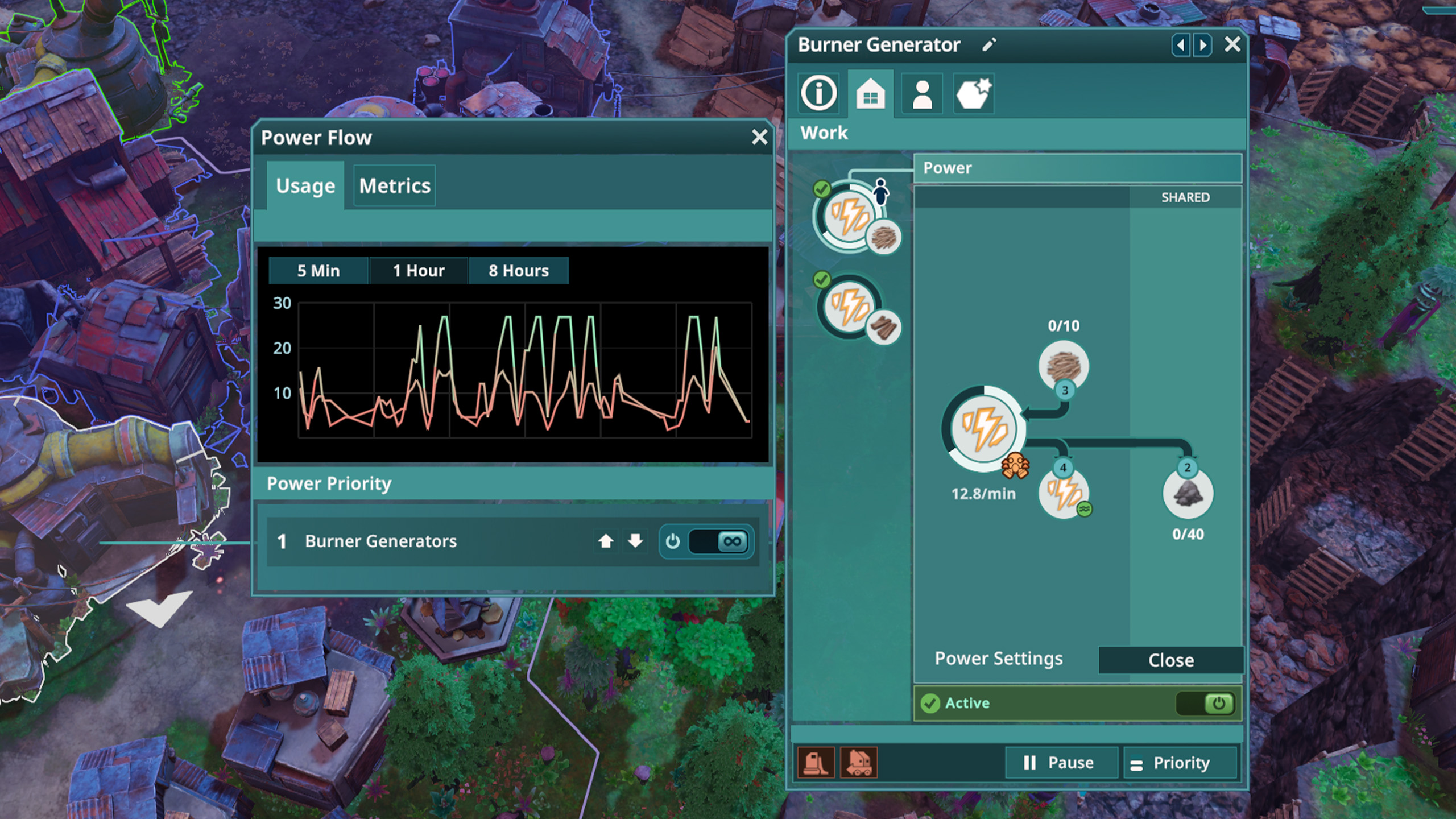
If several factories stop together, select their generator. Confirm that its chosen fuel is arriving, its worker slots are filled and its Soot output has space. Switching its recipe from Wood to Wood Waste only helps when the waste is available; the selected input still has to reach the building.
Soot can become the missing resource even while the city has enough Power. Open Power Settings and enable continuous generation when you specifically need more Soot for a downstream process. Keep fuel supplied and an output destination ready. Turn the setting back off when you have the required stock if continued burning would consume timber needed elsewhere or add pollution without a useful purpose.
Use the generator’s selected range display when checking connections. The launch hotfixes corrected both that display and misleading valid-placement tiles for consumers without a connected generator. If an early-release save’s placement color suggested a connection that does not work, update the game and inspect the actual Power supply before rebuilding the entire industry.
The first Landscaper and river job
After making the required Steel, unlock the Landscaper and build one near the river blockage identified by the tutorial. Its working range must include the obstructing tiles. Use the blue boundary shown while placing it to check the site, then provide a road and enough nearby residents to fill its jobs.
Building the Landscaper enables Terraforming mode. Switch into that view and choose a Landscaping Job. Select the tiles blocking the water, then lower the selection with the handles or the arrows in the Create Job panel. For the opening river job, set Height above water level to -1 or lower, then select Create Job.
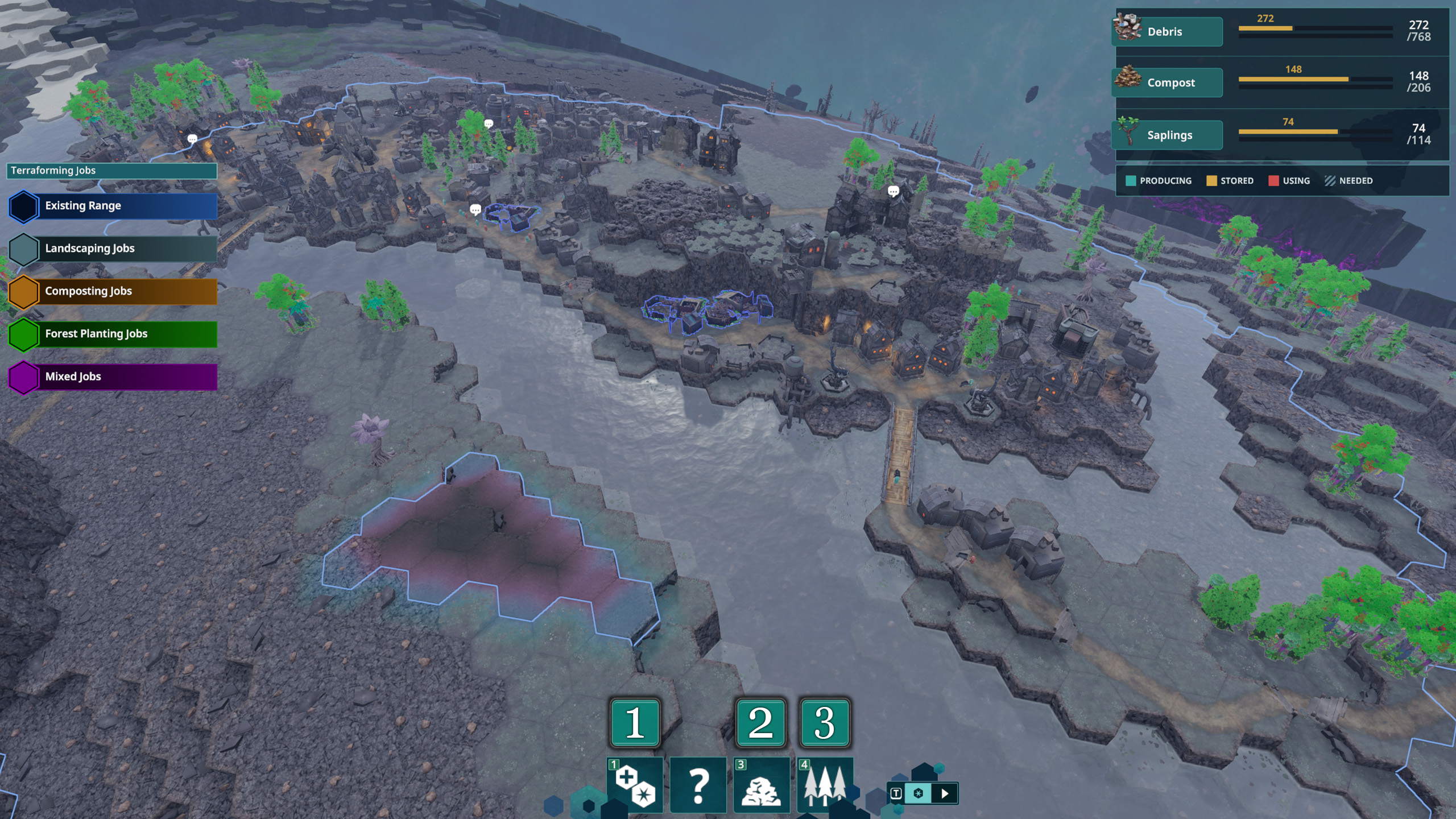
Lowering terrain produces Debris; raising it consumes Debris. Read that amount before confirming a larger job. Excavation can supply material for later raised ground, but a fill job cannot finish without the required Debris. Keep the first selection focused on the obstruction so you can see the water connection before changing the surrounding settlement.
A terrain selection becomes a job for Landscaper workers. If they leave it unfinished, select their building: it needs a full workforce, and the selected tiles must fall inside its working range. Also check its job priority. Its panel lets you favor terraforming, composting or forest-planting work. A building concentrating on another job type may not be doing the excavation you are waiting for.
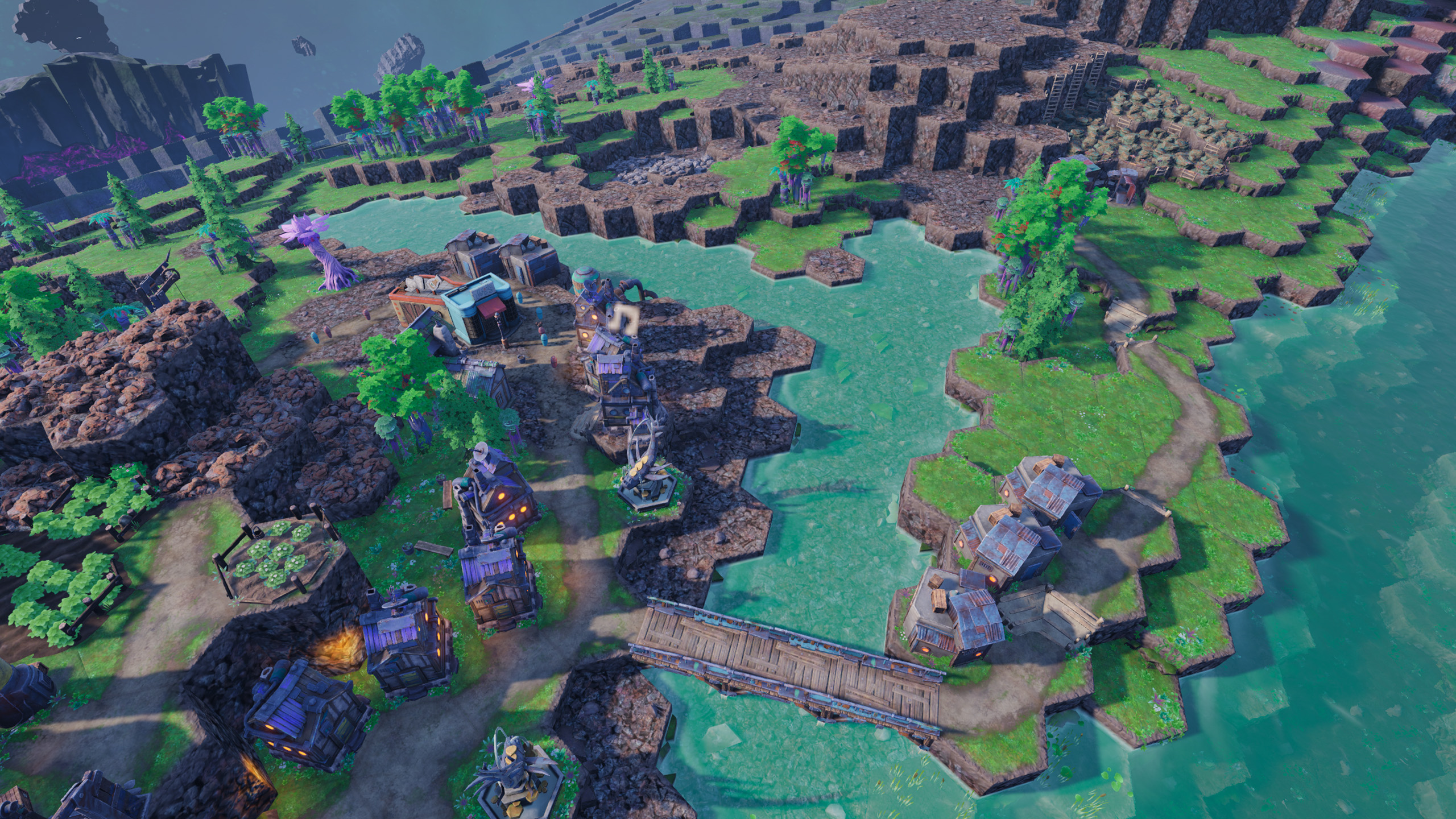
Return to the normal view after the obstruction is removed. Water should now reach the newly connected channel. Keep roads and buildings out of the ground you intend to flood, and leave crossings for a suitable bridge rather than cutting the only route between homes and industry. The opening objective moves on to atmosphere expansion and finding Copper, so a flowing river is only the first part of that work.
Water, Compost and a larger atmosphere
Water, green ground and Forests perform different jobs in this expansion. Extend water into the dry area first, use Compost to turn bare tiles green, then plant Saplings to grow Forests and extend the atmosphere. Digging a channel alone does not guarantee that the breathable area reaches the next mineral deposit.
Unlock and build the Compost Heap to produce Compost. Unlock the Tree Nursery to make Saplings using Compost. Keep the Compost Heap and nursery supplied, then use the composting and forest-planting tools in Terraforming mode to mark bare ground and planting sites within Landscaper reach. The mode displays Debris, Compost and Saplings separately, so check the resource required by the selected job rather than adding more excavation to solve a planting shortage.
Expand toward the Copper deposit you want to reach. Inspect the atmosphere after the Forest work takes effect, then place the next Mine and its supporting homes where Peeps can work. If the deposit remains outside breathable ground, continue the water, compost and planting work toward it. The river may be open even though the resource is still inaccessible.
Forest planting also helps the factories you already built. Forests slowly absorb pollution within four tiles. Keep useful trees near industry where they can survive, and use a Cleaner or Toxic Tile Scraper for ground that has already become toxic.
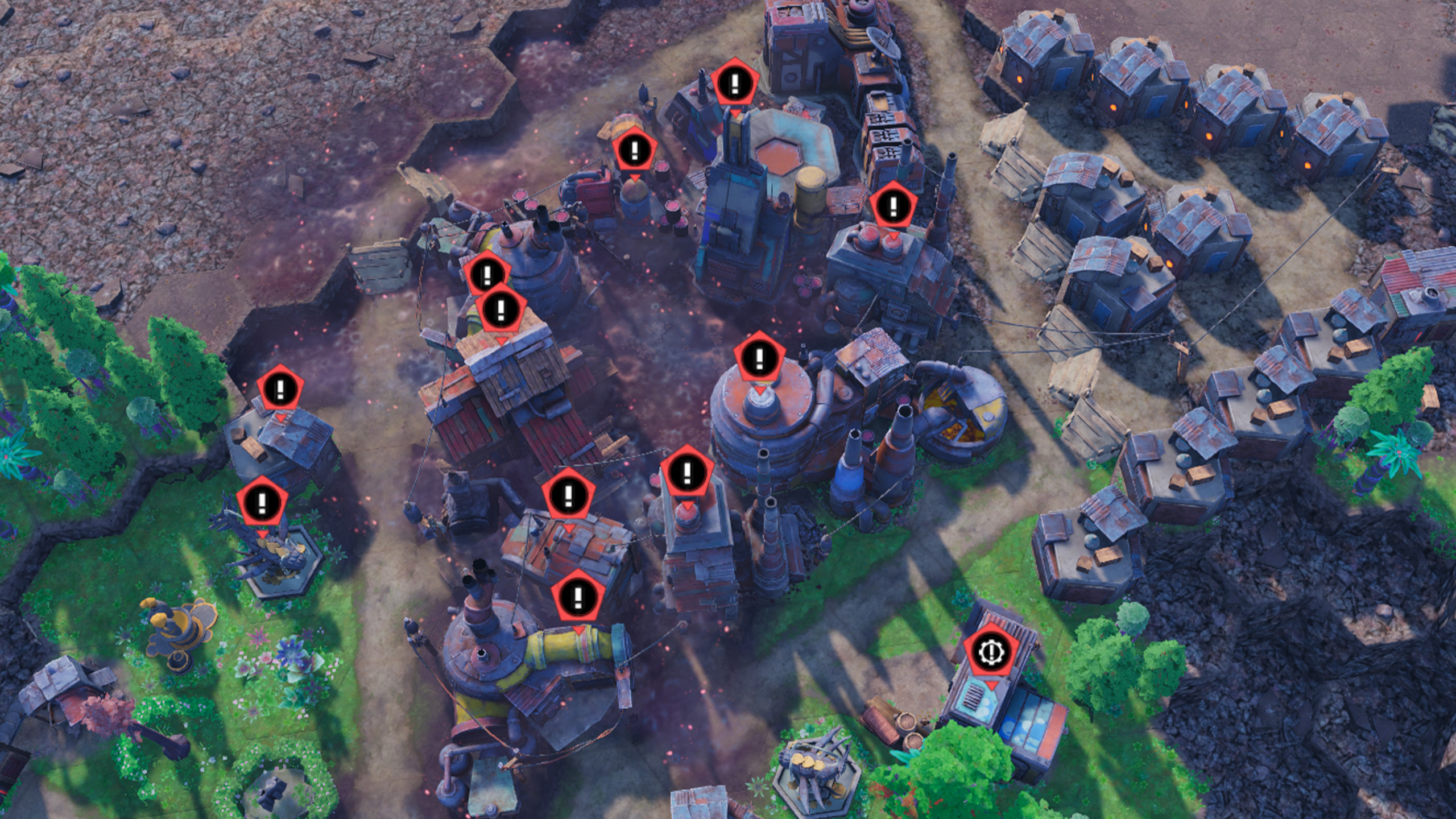
A tile left at High or Very High Pollution for fifteen minutes can become a Toxic Area. Peeps refuse to work in buildings on toxic ground or gather resources there. When an otherwise supplied building empties, inspect its ground as well as its job slots. Reduce the polluting production, clear the toxic tiles and prioritize the Cleaner before resuming every paused factory. The Cleaner unlock follows the Burner Generator and production of 50 Soot. For ordinary pollution, choose its task that consumes Soot and Water. If another cleaning task is locked behind Chemicals, choose the available task for polluted ground instead of leaving the building with no selected task.
Population growth, sickness and strikes
After the original crew has moved out, further population growth needs housing with empty Peep slots inside a School’s range. Add the School when you can also support the new residents with food, drink and useful jobs; otherwise the additional population puts pressure on the same small supply area.
Watch Energy when deciding whether to increase work intensity. Default work costs 180 Energy per shift, Overtime costs 240 and Hard Labor costs 360. Hard Labor also speeds movement and building operation by 30%. Temperature and polluted or toxic ground add further costs, so increasing work intensity while Peeps are already failing to recover can leave fewer healthy workers for the next shift.
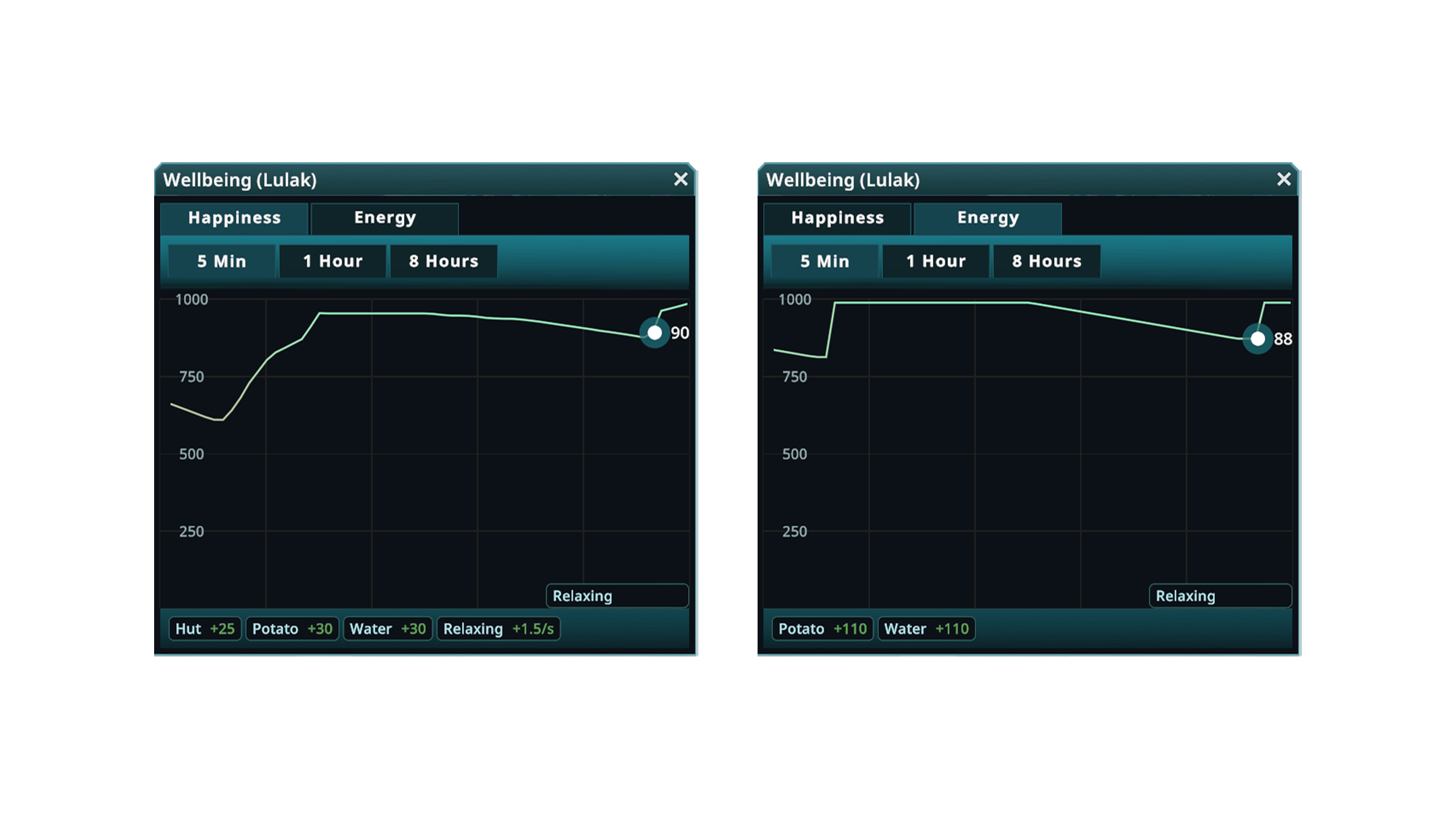
Lower Energy increases the chance of sickness at the start of a shift. Sick Peeps remain home, and the Apothecary produces recovery supplies that residents store in their homes. Restore access to food and drink and ease excessive work while providing those supplies. More factory slots do not replace the workers who are too sick to fill them.
If a Peep dies, the notification and Location Summary let you investigate what happened. The community loses Happiness and may mourn outside the deceased Peep’s home. A Memorial Statue provides an immediate Happiness bonus when a Peep visits during a break, which helps the survivors while you address the exhaustion or illness behind the loss.
If unhappiness becomes a strike, read the new demand in the Goals panel. It can ask for housing or toxic cleanup, and completing it ends the strike early. Raising work intensity cannot make striking Peeps return. Put the remaining workforce on the demand’s construction or cleanup chain instead.
Once needs are met and a large enough share of the local population is very happy, a Fairground gives celebrating Peeps a place to gather between shifts or while unemployed. Celebrations can grant production, movement and sickness bonuses. Add the Fairground once that neighborhood can already feed, house and support its residents between shifts.
Read Kewa’s condition before the next journey
Open the Galaxy Map tab to distinguish Kewa’s Health, Happiness, Temperature and Energy. The Health bar uses green for current health, yellow for health available from biome improvements, purple for toxic damage and orange for overheating.

Reduce toxic ground and improve the biome with trees and rivers to help Kewa recover. In a hot region, watch the orange overheating portion and move somewhere cooler when travel is available. Kewa may initiate emergency travel if overheating becomes too severe, so finish urgent work and keep the colony supplied before you rely on staying in one location.
Health also affects Energy recovery for travel. Longer journeys require more Energy, and Kewa can feed in Debris Fields or Asteroid Belts and stop to digest. Debris may fall onto the settlement and break buildings during feeding. Inspect stalled producers after such a trip and repair damaged buildings before assuming the whole supply chain needs replacing.
As travel opens up, investigate stars and their objects with the Scout Ship before committing to another settlement. Some planets support Peeps and contain resources unavailable on Kewa; others are barren. Temperature also affects Peep mood and crop growth. You can return to a newly discovered world later, so leave its settlement until the homes, storage and production on Kewa can support the next stage.